PAGE 4
FOR SERVICE TECHNICIAN’S USE ONLY
DO NOT REMOVE OR DESTROY
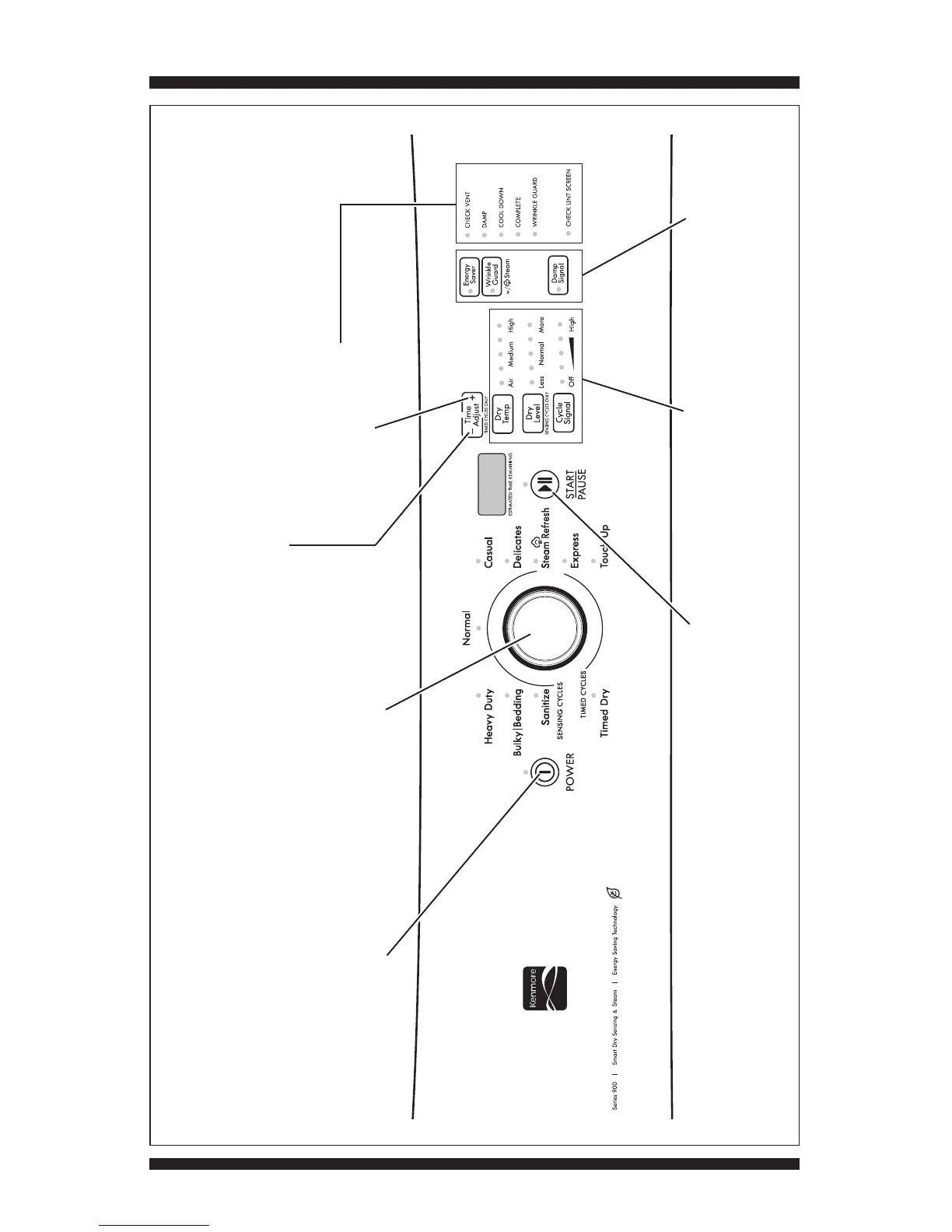
KENMORE CONTROL PANEL (features and appearances may vary between models)
Rotating the cycle selector knob
turns off each corresponding cycle
indicator. (Features and
appearances vary between models).
POWER button: press once to turn
off indicator. Press twice to exit
service diagnostic mode and return
to standby mode.
START/PAUSE button:
press once to turn
off indicator.
Option buttons: press each
button once to turn off
its respective indicator.
Figure 1c - Key Activation & Encoder Test for Service Diagnostic Mode, Kenmore Models
Time Adjust “+” button:
press once to turn off the
status LEDs.
Press each modifier button
once to turn off its respective
display segment.
Time Adjust “–” button:
press once to turn off the
seven-segment display.









 To Next Page