EasyManua.ls Logo

Whirlpool CHW9150 - User Manual

Whirlpool CHW9150
35 pages
Print Icon
To Next Page IconTo Next Page
Loading...
1
FOR SERVICE TECHNICIAN ONLY - DO NOT REMOVE OR DESTROY
WARNING
Electrical Shock Hazard
Disconnect power before servicing.
Replace all parts and panels before operating.
Failure to do so can result in death or electrical shock.
IMPORTANT
Electrostatic Discharge (ESD)
Sensitive Electronics
ESD problems are present everywhere. ESD may damage
or weaken the electronic control assembly. The new control
assembly may appear to work well after repair is finished,
but failure may occur at a later date due to ESD stress.
n
Use an anti-static wrist strap. Connect wrist strap to green
ground connection point or unpainted metal in the appliance.
-OR-
Touch your finger repeatedly to a green ground connection
point or unpainted metal in the appliance.
n
Before removing the part from its package, touch the anti-
static bag to a green ground connection point or unpainted
metal in the appliance.
n
Avoid touching electronic parts or terminal contacts; handle
electronic control assembly by edges only.
n
When repackaging failed electronic control assembly in anti-
static bag, observe above instructions.
BASIC OPERATION OF COMMERCIAL FRONT-LOAD
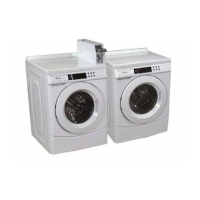
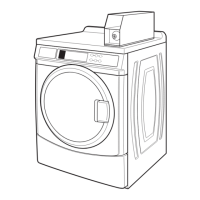
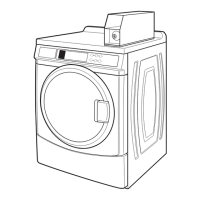
WASHER, MODEL CHW9150, CHW9160
n
For additional information, see
www.WhirlpoolCommercialLaundry.com
GENERAL USER INFORMATION
Scrolling ‘out of order’ message, followed by a failure
or diagnostic code, showing in display
This condition indicates the washer is inoperative.
0 Minutes’ showing in display
This condition indicates the washer cannot be operated. Coins
dropped or debit inputs during this condition will be stored in escrow
but cannot be used until normal operation is restored by opening
and closing the door. If a door switch has failed, it must be replaced
before normal operation can be restored.
Cold Start (initial first use)
Washer is programmed at the factory as follows:
n
11 minute wash period
n
Three rinses (extra rinse not enabled)
n
$2.00 wash price (9150 model)
n
$0 wash price (9160 model)
Warm Start (after power failure)
A few seconds after power is restored, if a cycle was in progress
at the time of the power failure, ‘RESELECT CYCLE’ will flash
in the display, indicating the need for a key press to restart
the washer.
Door Lock
The door will be locked when the cycle starts. The door will remain
locked until the end of a cycle or approximately 2 minutes after a
power interruption.
Pricing
After the door is opened following the completion of a cycle,
the display indicates the cycle price (unless set for free operation).
As coins are dropped or debit inputs arrive, the display will change
to lead the user through the initiation of a cycle.
Free Cycles
This is established by setting the cycle price to zero. When this
happens, ‘SELECT CYCLE’ will appear rather than a cycle price.
Display
After the washer has been installed and plugged in, the display
may show ‘0 MINUTES’. Once the washer has been plugged in
and the washer door opened and closed, the display will show
the vend price. In washers set for free operation, the display will
flash ‘SELECT CYCLE’.
NOTE: Not displayed on washer as shown. Message scrolls
followed by the failure or diagnostic code.
W11316888A


Questions and Answers

Summary

Washer Operation and Safety

Electrical Shock and ESD Safety

Crucial safety warnings regarding electrical hazards and electrostatic discharge.

General User Display Information

Explains display messages like 'out of order', '0 Minutes', and operational states.

Cycle Operation Details

Covers door lock, pricing, free cycles, and display behavior during operation.

Control Set-Up Procedures

Entering and Navigating Set-Up Mode

Instructions for accessing set-up mode and using buttons to program controls.

Washer Configuration Codes Overview

Introduces set-up codes, explaining their structure and use.

Advanced Washer Configuration Codes

Time-of-Day Clock and Special Pricing Hours

Codes for setting time-of-day clock (5.00, 6.00) and special price hours (7.00, 8.00).

Special Pricing Day and Upgrade Options

Codes for selecting special pricing days (9.10) and enabling Super Cycle upgrades (F.SU, H.01, h.01).

Coin;Debit and Other Control Options

Codes for coin slide (d.00), add coins (E.00), coin/debit selection (J.Cd), and vault viewing (A.00).

Additional Configuration and Diagnostic Mode Entry

Price Suppression and Escrow Options

Codes for price suppression (L.00) and clearing escrow (n.CE).

Prewash Length and Diagnostic Mode Access

Codes for prewash length (A1.00) and methods to enter diagnostic modes.

Washer Error Codes and Troubleshooting

Communication and Sensor Error Codes

Explains error codes F01 (CCU ERROR), F04 (ACCELEROMETER FAILURE), F20 (NO WATER).

Motor and Drain System Error Codes

Details error codes F11 (MCU ERROR), F21 (LONG DRAIN).

Door Lock and Temperature Sensor Errors

Door Lock and Temperature Sensor Errors

Explains error codes F22 (DOOR LOCK ERROR) and F24 (TEMPERATURE SENSOR ERROR).

Motor and Door Switch Error Codes

Details error codes F25 (TACHOMETER ERROR) and F26 (DOOR SWITCH ERROR).

Additional Washer Error Codes

Overflow and Communication Failure Errors

Explains error codes F27 (OVERFLOW CONDITIONS) and F28 (COMMUNICATION FAILURE BETWEEN CCU AND MCU).

Unlock, Overheating, and Pump Errors

Details error codes F29 (DOOR UNLOCK ERROR), F31 (OVERHEATING OF MOTOR), F33 (PUMP DISCONNECTED).

Washer Cycle and Payment System Errors

Cleanout Cycle and Communication Failure Errors

Explains error codes F34 and F70 related to cycle detection and UI communication.

UI Failure and Coin Sensor Errors

Details error codes F73/F74 (UI FAILURE) and coin sensor errors d5, d13.

Diagnostic Test Access and Modes

Service Access Code Procedure

Steps to enter service mode without removing the console using a specific code sequence.

Diagnostic Test Modes Overview

Introduces diagnostic modes like Code Display, Flashing Mode, and Diagnostic Cycle.

Diagnostic Test Procedures

Quick Overview Test Steps

Detailed steps and actuators checked during the Quick Overview Test.

Manual Overview Test Steps

Detailed steps and actuators checked during the Manual Overview Test.

Diagnostic Test Guide and Help Mode

Diagnostic Mode Keypad Function Table

Summary of keypad functions across different diagnostic sub-modes.

Help Mode Functions and Codes

How to access Help Mode and descriptions of various help codes.

Help Mode Submenu and Symbols

Help Mode Submenu Steps

Detailed explanation of each step within the Help Mode submenu.

Help Mode Symbols and Keypad Functions

Explanation of display symbols and keypad functions used in Help Mode.

Electrical Tests and Component Checks

Pump Motor and Transformer Continuity Tests

Procedures for testing continuity of pump motor and transformer circuits.

Water Temperature Sensor and CCU Connector Tests

Instructions for testing water temperature sensor and CCU wire harness connections.

Wiring Diagram and Grounding System

Washer Wiring Diagram Overview

Detailed schematic showing electrical connections between components.

Grounding System Explanation

Explains the function of grounding switches for safety during servicing.

Troubleshooting Common Washer Problems

Display and Touch Pad Troubleshooting

Addresses issues like blank display and unresponsive touch pads.

Cycle Start, Dispense, and Fill Issues

Troubleshooting for problems like won't start cycle, won't dispense, and won't fill.

Advanced Washer Troubleshooting

Overfills, Drum Rotation, and Motor Overheating

Solutions for overfills, drum not rotating, and motor overheating problems.

Drain, Vibration, and Water Temperature Issues

Troubleshooting for draining, vibration, and incorrect water temperature problems.

Summary

Washer Operation and Safety

Electrical Shock and ESD Safety

Crucial safety warnings regarding electrical hazards and electrostatic discharge.

General User Display Information

Explains display messages like 'out of order', '0 Minutes', and operational states.

Cycle Operation Details

Covers door lock, pricing, free cycles, and display behavior during operation.

Control Set-Up Procedures

Entering and Navigating Set-Up Mode

Instructions for accessing set-up mode and using buttons to program controls.

Washer Configuration Codes Overview

Introduces set-up codes, explaining their structure and use.

Advanced Washer Configuration Codes

Time-of-Day Clock and Special Pricing Hours

Codes for setting time-of-day clock (5.00, 6.00) and special price hours (7.00, 8.00).

Special Pricing Day and Upgrade Options

Codes for selecting special pricing days (9.10) and enabling Super Cycle upgrades (F.SU, H.01, h.01).

Coin;Debit and Other Control Options

Codes for coin slide (d.00), add coins (E.00), coin/debit selection (J.Cd), and vault viewing (A.00).

Additional Configuration and Diagnostic Mode Entry

Price Suppression and Escrow Options

Codes for price suppression (L.00) and clearing escrow (n.CE).

Prewash Length and Diagnostic Mode Access

Codes for prewash length (A1.00) and methods to enter diagnostic modes.

Washer Error Codes and Troubleshooting

Communication and Sensor Error Codes

Explains error codes F01 (CCU ERROR), F04 (ACCELEROMETER FAILURE), F20 (NO WATER).

Motor and Drain System Error Codes

Details error codes F11 (MCU ERROR), F21 (LONG DRAIN).

Door Lock and Temperature Sensor Errors

Door Lock and Temperature Sensor Errors

Explains error codes F22 (DOOR LOCK ERROR) and F24 (TEMPERATURE SENSOR ERROR).

Motor and Door Switch Error Codes

Details error codes F25 (TACHOMETER ERROR) and F26 (DOOR SWITCH ERROR).

Additional Washer Error Codes

Overflow and Communication Failure Errors

Explains error codes F27 (OVERFLOW CONDITIONS) and F28 (COMMUNICATION FAILURE BETWEEN CCU AND MCU).

Unlock, Overheating, and Pump Errors

Details error codes F29 (DOOR UNLOCK ERROR), F31 (OVERHEATING OF MOTOR), F33 (PUMP DISCONNECTED).

Washer Cycle and Payment System Errors

Cleanout Cycle and Communication Failure Errors

Explains error codes F34 and F70 related to cycle detection and UI communication.

UI Failure and Coin Sensor Errors

Details error codes F73/F74 (UI FAILURE) and coin sensor errors d5, d13.

Diagnostic Test Access and Modes

Service Access Code Procedure

Steps to enter service mode without removing the console using a specific code sequence.

Diagnostic Test Modes Overview

Introduces diagnostic modes like Code Display, Flashing Mode, and Diagnostic Cycle.

Diagnostic Test Procedures

Quick Overview Test Steps

Detailed steps and actuators checked during the Quick Overview Test.

Manual Overview Test Steps

Detailed steps and actuators checked during the Manual Overview Test.

Diagnostic Test Guide and Help Mode

Diagnostic Mode Keypad Function Table

Summary of keypad functions across different diagnostic sub-modes.

Help Mode Functions and Codes

How to access Help Mode and descriptions of various help codes.

Help Mode Submenu and Symbols

Help Mode Submenu Steps

Detailed explanation of each step within the Help Mode submenu.

Help Mode Symbols and Keypad Functions

Explanation of display symbols and keypad functions used in Help Mode.

Electrical Tests and Component Checks

Pump Motor and Transformer Continuity Tests

Procedures for testing continuity of pump motor and transformer circuits.

Water Temperature Sensor and CCU Connector Tests

Instructions for testing water temperature sensor and CCU wire harness connections.

Wiring Diagram and Grounding System

Washer Wiring Diagram Overview

Detailed schematic showing electrical connections between components.

Grounding System Explanation

Explains the function of grounding switches for safety during servicing.

Troubleshooting Common Washer Problems

Display and Touch Pad Troubleshooting

Addresses issues like blank display and unresponsive touch pads.

Cycle Start, Dispense, and Fill Issues

Troubleshooting for problems like won't start cycle, won't dispense, and won't fill.

Advanced Washer Troubleshooting

Overfills, Drum Rotation, and Motor Overheating

Solutions for overfills, drum not rotating, and motor overheating problems.

Drain, Vibration, and Water Temperature Issues

Troubleshooting for draining, vibration, and incorrect water temperature problems.

Whirlpool CHW9150 Specifications

General IconGeneral
BrandWhirlpool
ModelCHW9150
TypeTop Load Washer
ColorWhite
Number of Wash Cycles12
Wash ActionAgitator
Water Level Options5
Delay Wash OptionYes
Quick Wash CycleYes
Deep Water Wash OptionYes
Automatic Temperature ControlYes
Cycle Status LightsYes
End of Cycle SignalYes
Voltage120 V
Frequency60 Hz
Depth27 inches
Width27.5 in

Related product manuals