EasyManua.ls Logo

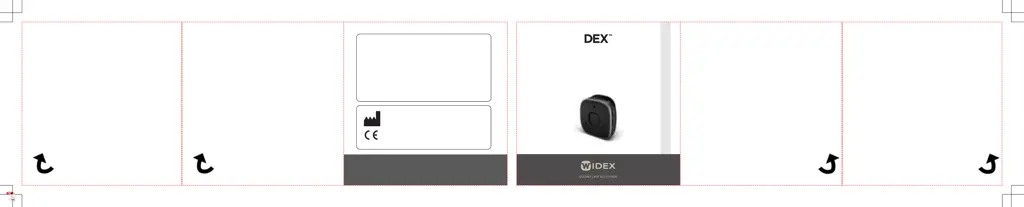
Widex DEX - User Manual

Widex DEX
260 pages
Print Icon
To Next Page IconTo Next Page
Loading...
WSAUD A/S Nymoellevej 6, DK-3540 Lynge, Denmark
https://global.widex.com
Manual no.:
9 514 0562 091 01
Issue:
2022-07
9 514 0562 091 01
USER INSTRUCTIONS
WIDEX Sound Assist
GB
CZ
EE
FI
GR
HU
LT
LV
NO
RU
SE

Table of Contents

Questions and Answers

  • E
    Edward Sanchez DDSJul 26, 2025
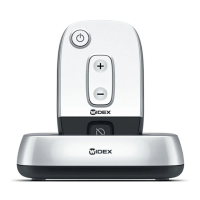
    How to fix Widex TV Accessories TV-Controller that does not work?
    • E
      Eric KhanJul 26, 2025
      If your Widex TV Accessories TV-Controller does not work, it might be due to several reasons. First, ensure that the battery is adequately charged. If charging doesn't resolve the issue, the battery might need replacement, in which case you should contact your hearing care professional. Also, ensure the TV-Controller is correctly placed in the TV-Base for at least 5 seconds to select the base.
  • B
    Brad ThomasAug 2, 2025
    What to do if Widex TV Accessories transmission is interrupted?
    • C
      crawforddavidAug 2, 2025
      If you are experiencing interrupted transmission or missing parts of the sound image from your TV/audio source when using Widex TV Accessories, it could be due to several factors. First, ensure that your TV-Controller battery is charged. Also, make sure that the TV-Controller is within the operating range. Furthermore, verify that the monaural/binaural switch on the underside of the TV-Base is correctly set. Finally, ensure the TV-Base is connected to the correct TV/audio output, referring to your TV/audio source's user instructions.
  • J
    Jeffrey CannonAug 11, 2025
    Why is there no transmitted sound from Widex TV Accessories?
    • A
      Anna AllenAug 11, 2025
      If you have no transmitted sound even when the green diode is on when using your Widex TV Accessories, first ensure that the TV/audio source is switched on. If it is already on, check that the sound source and TV-Base are properly connected, referring to pages 10, 11, and 12 for connection guidance.
  • M
    Mr. Eric PowellAug 18, 2025
    What to do if green diode turns on and off on Widex TV Accessories?
    • A
      Amy AndersonAug 18, 2025
      If the green diode on your Widex TV Accessories TV-Controller turns on briefly and then turns off, there are a couple of things to check. First, make sure that the jack plug for TV or audio connection is correctly connected to the TV-Base as shown on page 10/12. Also, verify that the TV-Base is connected to the electrical mains, as described on page 9.

Summary

Your Widex Sound Assist Device

Welcome

A brief introduction and thank you for choosing the product.

Intended Use

Explains the primary purpose of the device in transmitting audio to hearing aids.

Safety Warnings

Lists critical safety precautions and hazards associated with the device's use.

Device Overview

Provides a quick overview of the device's components and features.

Using Sound Assist

Pairing the Device

Instructions for pairing the Sound Assist with hearing aids and smartphones.

Device Range

Details the maximum effective range for remote microphone and Bluetooth streaming.

Powering On;Off and Mode Selection

How to turn the device on/off and switch between different operating modes.

Stream Volume Adjustment

Instructions on how to control the volume of streamed audio.

Button Lock and Wearing Options

How to lock buttons and options for wearing the device.

Remote Microphone Functionality

Details on using the device as a partner or tabletop microphone.

Bluetooth Streaming and Handsfree Calls

Using the device for Bluetooth audio streaming and handsfree phone calls.

Call Management and Audio Streaming

How to initiate calls and stream audio from connected devices.

Telecoil Streaming and Remote Control

Streaming from Telecoil and using the device as a remote control for hearing aids.

Sound Adjustment and Device Charging

How to adjust volume and charge the device.

Mobile App and Indicator Guide

Information on the companion app and device light indicators.

Maintenance

Device Cleaning and Care

Recommended procedures for cleaning and maintaining the device.

Troubleshooting

Common Issues and Solutions

Lists common problems encountered with the device and their corresponding solutions.

Regulatory Information

EU Directives and Disposal

Information on EU directives and disposal guidelines for the device.

Symbols

Symbol Interpretation

Interpretation of standard symbols used on the device and its packaging.

Widex DEX Specifications

General IconGeneral
BrandWidex
ModelDEX
CategoryConference System
LanguageEnglish

Related product manuals