The app
Download the MOMENT app from Apple App Store or Google Play Store
and use this for notifications to upgrade the firmware. Control the settings
such as volume and program selection on the hearing aids.
Simply follow the instructions in the app.
Overview of in-use light indicators
Light indicator Indicator
behaviour
Meaning
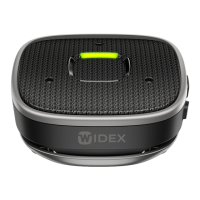
1.7 Solid green The battery level is full or high
1.7 Solid yellow The battery level is medium
1.7 Solid red The battery level is low
1.7 Flashing green The device is charging, and the bat-
tery level is high
1.7 Flashing yellow The device is charging, and the bat-
tery level is medium
1.7 Flashing red The device is charging, and the bat-
tery level is low
1.5 Rotating white The device is not paired to any hear-
ing aids and has no functionality
1.5 Glowing blue The device is in pairing mode
18


 To Next Page
 Loading...