Outgoing calls
Call up Start the call on the connected phone or make a request
via the phone's voice assistant. Once connected, speak
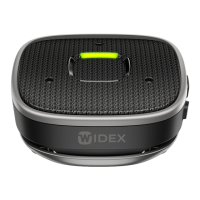
into Sound Assist's microphone.
How to activate the Voice Assistant
In Bluetooth mode, you can activate the Voice Assistant on a connected
device, except for when you are in an active phone call.
Sound Assist must be connected to a Bluetooth device with a Voice
Assistant enabled to activate the Voice Assistant support.
Press and hold the push-button (1.4) for 2 seconds, and make your voice
command.
Audio streaming
You can use Sound Assist to stream audio from any Bluetooth source to
your hearing aid. Simply activate streaming on your connected device.
Play/pause Press the push-button (1.4) briefly
Next track Press the push-button (1.4) twice
Previous track Press the push-button (1.4) three times
15


 To Next Page
 Loading...