3.6 Mount the grinder on the sample cell.
3.7 For leaves of non-conifer trees (and grasses in general), grind about five leaves, one at a time, using
a "two rotations forward and two rotations backward" action. For conifer types, take a small handful of
leaves (needles, for example), cut them up into short lengths using the fine fuel scissors, placing the
cuttings directly into the grinder, then proceed to grind them with the "two rotations forward and two
rotations backward" action.
3.8 Remove the grinder and evenly spread the ground material in the sample ring over the surface of the
test cell withyour finger. The ground material should fill about half the available volume in the ring on
top of the test cell. If not then grind more leaf material into the sample ring as described previously in
section 3.7.
3.10 Press SAMPLE key and wait for the sample’s moisture content to be displayed.
Field Mode Sampling will take up to 10 seconds. Lab Mode Sampling will take up to 32 seconds before
the moisture content is displayed.
*A moisture content of 1.0% indicates a fuel type was not selected at step 4.
*A warning message (* RANGE *) will be displayed if the fuel sample is near the upper or lower limit of
the measurement range.
*A warning message (*ERROR*) will be displayed if the fuel sample is outside measurable limit.
3.9 Mount the compression tool on the sample cell and wind down the compressor until the ratchet slips.
3.1
3.2
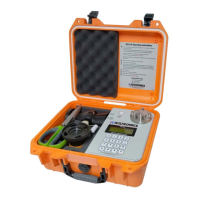
Open the case
To Turn on the meter PRESS and HOLD the Power Button for 2-3 seconds
Banner will display momentarily indicating the meter type and version number.
Sample information screen (see 1.4) will then display and stay resident on screen.
Check and correct date/time if needed
3.3 Enter location information if the results are to be stored and the location is important to you:
(Note 1: All or part of this location information may be omitted. Each component of the location
information may be changed independently. The location data will remain constant until changed
or the meter is turned off.)
(Note 2: If an error is made in entering a number, keep pressing until the correct code is displayed,
only the last two (or three) digits entered will be displayed and stored.)
Press REGION key followed by two digit code and finish with ENTER
Press BLOCK key followed by three digit code and finish with ENTER
Press COMPartment key followed by three digit code and finish with ENTER
Press COUPE key followed by two digit code and finish with ENTER
3.4 To enter the fuel TYPE calibration to be used for the calculation of moisture cintent from the
electrical resistance measure
NOTE: Default Power Up Mode is Field Mode which limits the test time to 10 seconds.
Lab Mode is more accurate and has a maximum test time of 32 seconds
Press the TYPE key
Eight possible calibrations will be displayed on the screen
Press a single digit (1-8) corresponding to the appropriate fuel type to be measured
Press Key “8” to change between Field and Lab Mode
3.5 Place the sample ring on the sample cell.
3. Measuring the Moisture Content of a Sample
Wiltronics Research Pty Ltd 11
561 DC1V1


 To Next Page