2.1
2.2
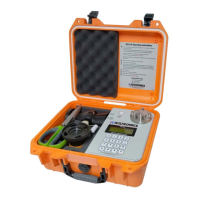
Open the case
To Turn on the meter PRESS and HOLD the Power Button for 2-3 seconds
Testing the Fuel Cell
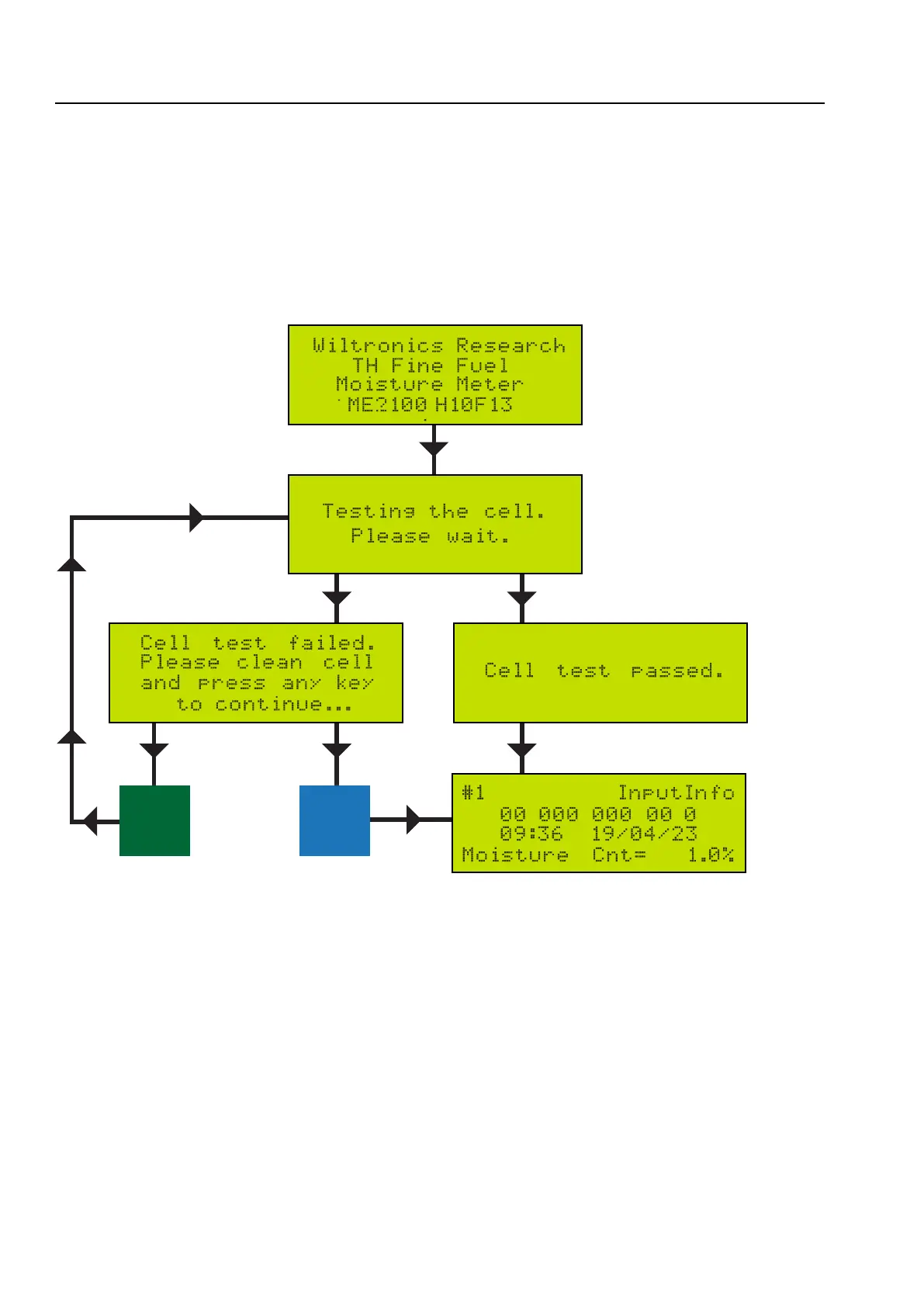
On Start Up the meter will run a CLEAN CELL TEST
2.3
Banner will display momentarily indicating the meter type and version number.
2. Checking the Operation of the Meter
Wiltronics Research Pty Ltd 9
561 DC1V1
TEST
ANY
KEY
Start Up Banner
Sample Information Screen
If the Test Passes, the next screen will be the Sample Information Screen. [See 1.4]
If the Cell test Fails the screen will indicate that the cell needs to be cleaned [See 4.0]
After cleaning press TEST button If the Test Passes, the next screen will be the
Sample Information Screen. [See 1.4]
If the cell test fails the screen will indicate that the cell test failed.
Please clean the cell and press any key to continue
Do not press the TEST key - but any other key will take you to the Sample information screen [1.4]
NOTE: if you continue to use the meter after CELL TEST FAILS it can cause from slight to extreme
inaccuracies in the moisture content reading. If the cell continues to fail the meter should be returned
to Wiltronics for repair.


 To Next Page