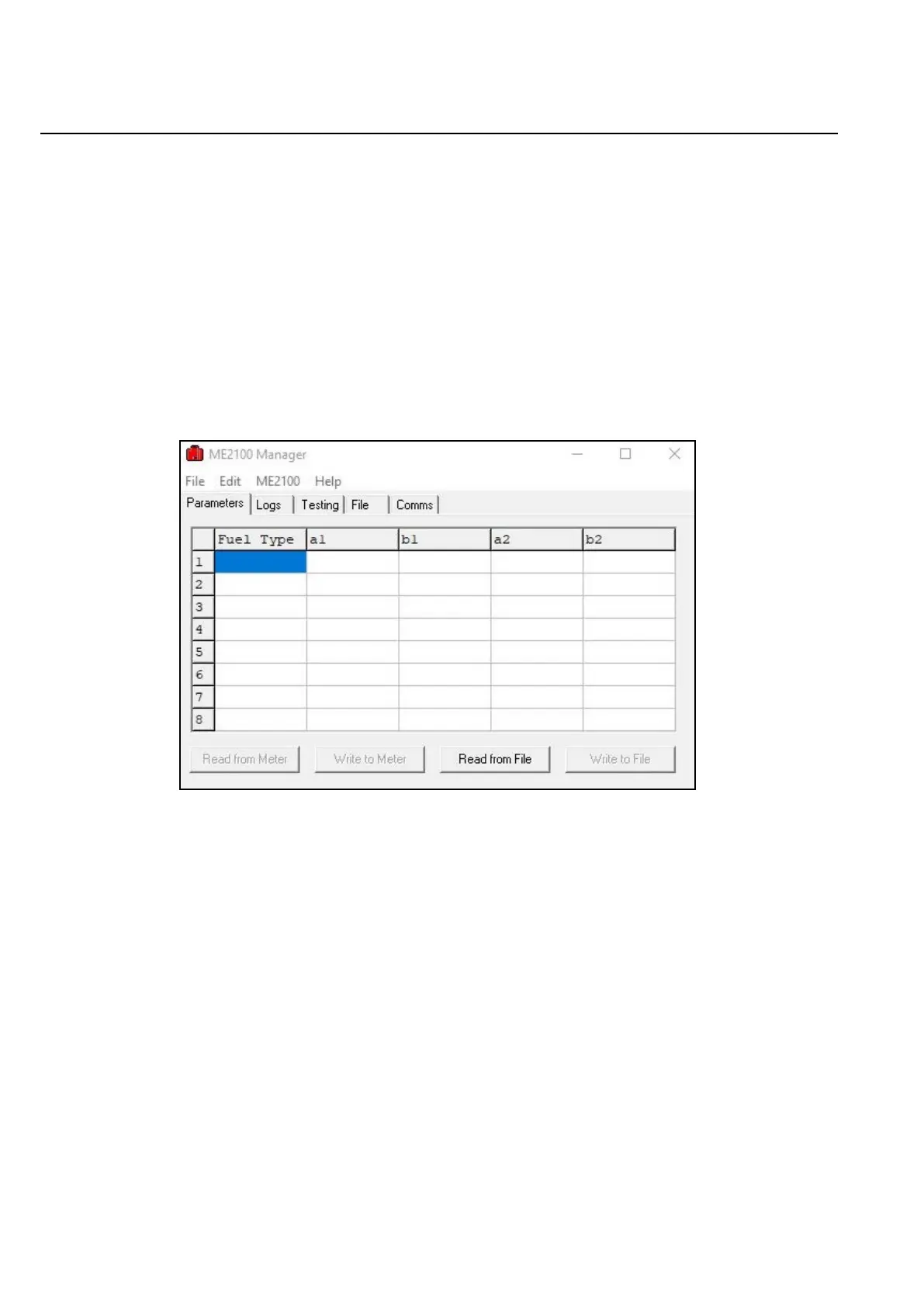
Figure D.2: ME2100 Manager.
Wiltronics Research Pty Ltd 26
561 DC1V1
APPENDIX D2.
Connecting the ME2100 to a PC using ME2100 Manager.
ME2100 Manager was specifically designed to facilitate easier use of the ME2100 moisture meter in conjunction
with a PC running an MS Windows operating system.
If ME2100 Manager has not already been installed, then install it on the PC using the supplied flash drive.
The software does not require any special installation process and the directory on the supplied memory media
containing the program can simply be copied directly to the PC's storage media directly or even executed from
the supplied memory media. Ensure the you have the necessary operating system permission to execute
or load new software. If not, see your system administrator.
Once loaded, run ME2100 Manager. The following window should appear:
If the software was previously loaded then the tabbed page that is displayed may differ from that
shown in Figure D.2.
NOTE: ME2100 Manager is 32-bit software. If you have difficulty running the software it may be necessary
to modify its compatibility properties. As of the time this document was created, it runs without problems on
MS Windows 10.
To test that communications are working between the PC and the ME2100 meter, select the “Comms” tabbed page.
Go to “Edit → Comms Settings”.
A small dialogue box should appear.
In the “Port” drop-down list, select the COM designator that was previously determined.
For example, if COM4 is the designator, select COM4.
Only available COM ports will appear in the drop-down list. When done, click “OK”.
Press the key marked “E” on the ME2100 keypad and the following should appear in the “Comms” tabbed page:
561 DC1V1


 To Next Page