D.1.3 Failure to load the USB Serial Port Driver.
Wiltronics Research Pty Ltd 25
561 DC1V1
APPENDIX D. (Continued)
All COM port type interface devices should appear. These will include any ports pertaining to actual physical
serial (RS232) COM ports as well as any virtual COM ports including the COM port assigned to the USB Serial
Interface of the ME2100, assuming that the driver was correctly installed and the meter is currently
connected to the PC.
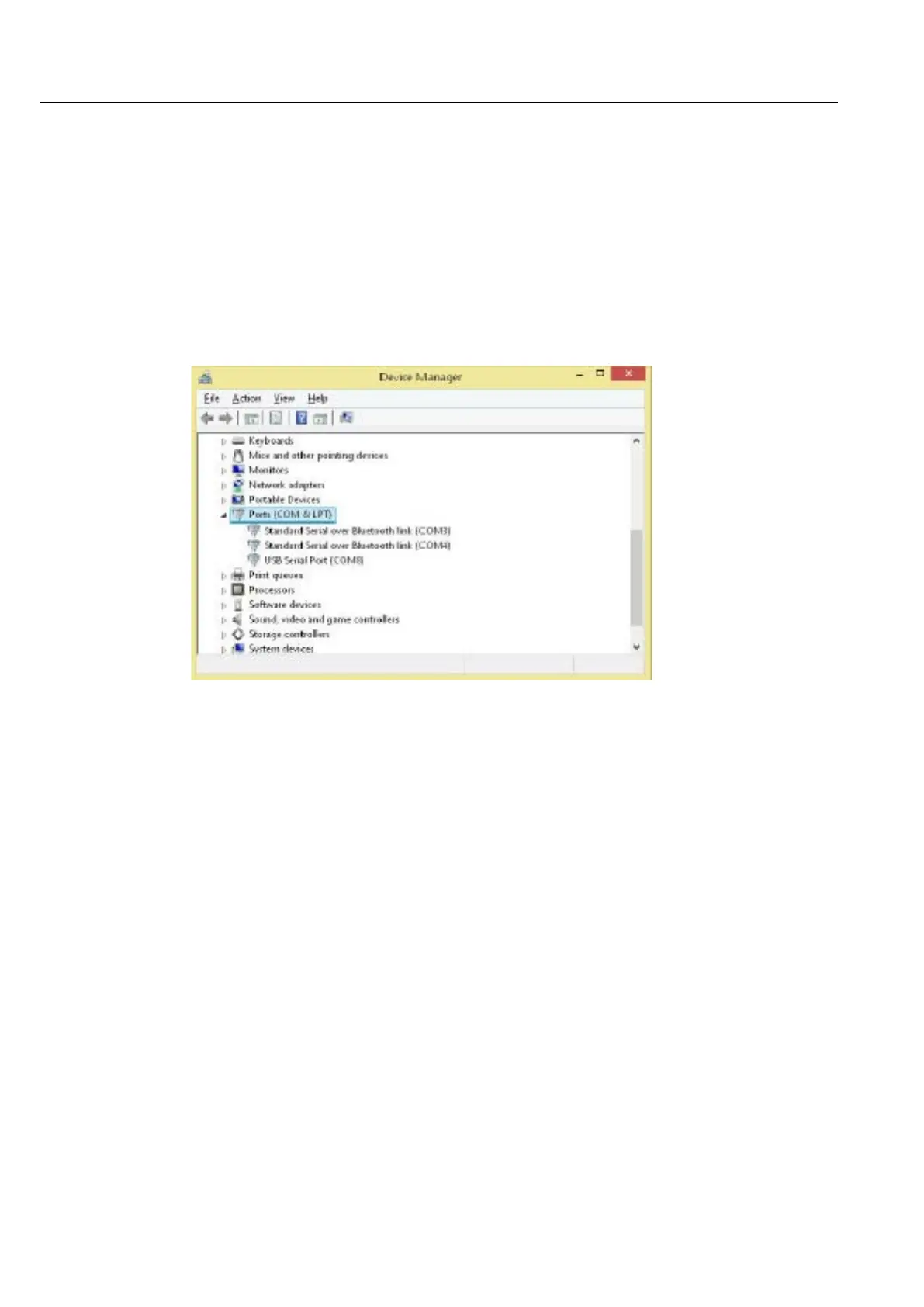
The name, “USB Serial Port (COMx)”, will be visible where COMx can be one of COM1, COM2, COM3, etc.
If there is more than one real or virtual COM ports marked as “USB Serial Port” then the quickest way to
determine which one to select is to disconnect and reconnect the ME2100 USB interface and observe
which COM port vanishes and then reappears. In Figure D.1, COM8 is the appropriate COM port.
Assuming that the USB Serial Port driver was correctly installed and the COM port designator has been
determined, then if using ME2100 Manager software on the PC, proceed to section D.2.
If the USB Serial Port's COM port does not appear in the hardware list while it is connected to the PC then
it is likely that the driver has failed to load or the hardware may be faulty. See section D.1.3.
If the USB-to-serial adapter driver was not successfully loaded, then consult the MS Windows help section on
how to install new hardware. This can be quickly accessed by setting focus on a Windows window (such as a
Windows Explorer window or the desktop or start screen) and pressing key F1. You should ensure that Internet
access is enabled when doing so since a great deal of MS Windows help is available over the Internet with
current MS Windows operating systems.
Enter “Add new hardware” into the “Search” entry box and press the “enter” key or click the icon next to the
search entry box, then click on any of the most appropriate links displayed in the search results
and follow the instructions.
If this fails then there may be a problem with the USB interface (on the PC or in the ME2000A) or the driver disk
that was supplied. In such an event please contact Wiltronics Research Pty Ltd, Australia.
Figure D.1: Windows Device Manager.


 To Next Page