Table of contents
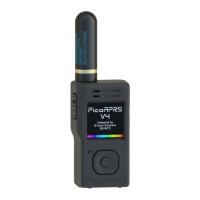
1. PicoAPRS V4....................................................................................................................4
1.1 Optional equipment....................................................................................................5
1.2 Recommended plug-on antennas................................................................................5
1.3 Safety instructions......................................................................................................6
2. Operation..........................................................................................................................7
2.1 Installing and removing the battery............................................................................7
2.2 Device overview.........................................................................................................8
2.3 General information...................................................................................................8
Turn ON......................................................................................................................8
Software updates.........................................................................................................8
2.4 Mainscreen.................................................................................................................9
5-Way button.............................................................................................................11
On-screen keyboard..................................................................................................11
Mainscreen in APRS modes.....................................................................................12
Mainscreen in FM modes.........................................................................................12
Automatic display of received APRS packets in APRS modes................................13
OPEN........................................................................................................................13
- „FOLLOW“............................................................................................................14
- „WHO IS“..............................................................................................................14
- „Show QR code“....................................................................................................14
- „Send message“......................................................................................................14
- Received status message........................................................................................15
- Received textmessage („SMS“).............................................................................15
- Received weather packet........................................................................................16
3 Menu.................................................................................................................................17
3.1 Power OFF...............................................................................................................18
3.2 SOS...........................................................................................................................18
3.2 Settings.....................................................................................................................19
Device mode.............................................................................................................19
Brightness.................................................................................................................20
GPS Powersave.........................................................................................................20
Beep..........................................................................................................................21
Units..........................................................................................................................21
3.3 Exit...........................................................................................................................21
3.4 GPS...........................................................................................................................22
GPS data...................................................................................................................22
GPS Satellites...........................................................................................................22
Speedometer.............................................................................................................23
Compass....................................................................................................................23
My Home..................................................................................................................23
My Car......................................................................................................................24
My Location..............................................................................................................24
GPS Deviation..........................................................................................................24
www.wimo.com - 2- ©Taner Schenker, 13. December 2022


 To Next Page