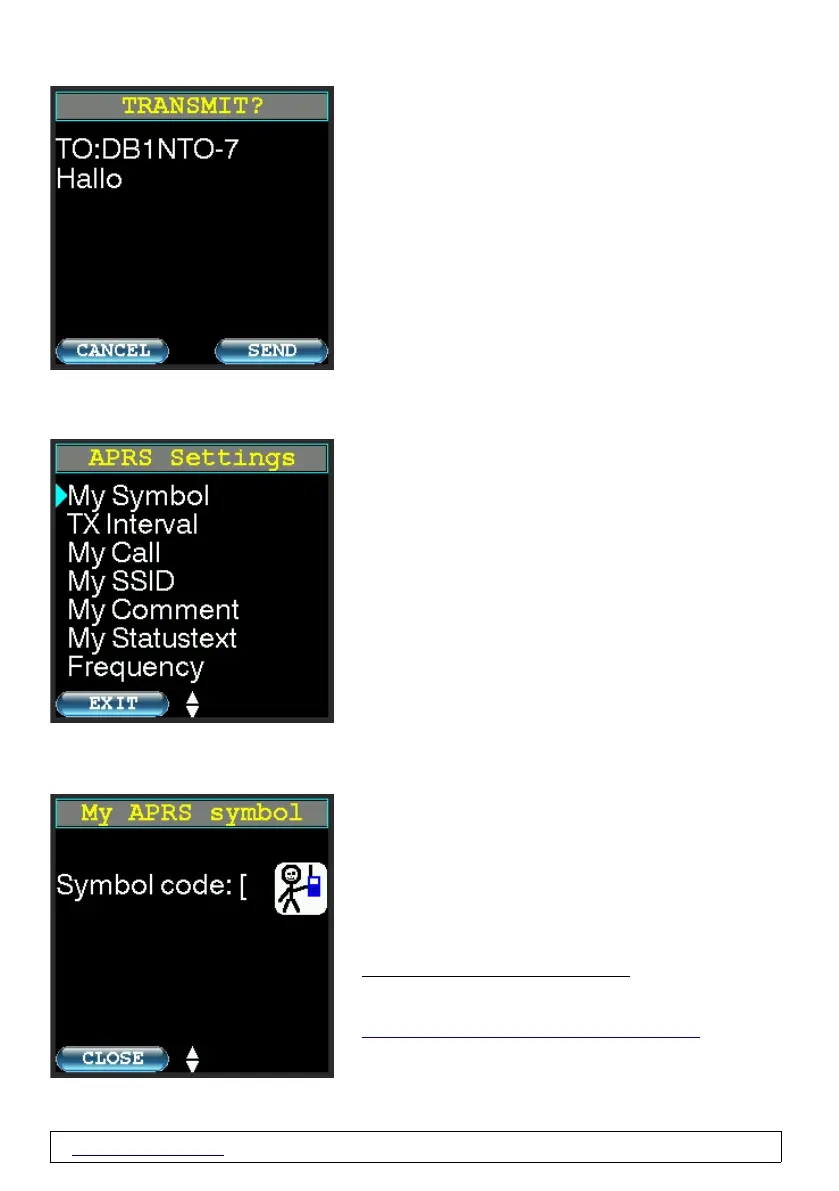
New Message Confirm→
At this point you have the option to check your
message and cancel ("cancel") or confirm ("send")
the sending of the message.
3.11 APRS Settings
APRS Symbol
Here you set your own APRS symbol which should
be displayed to other receivers.
The symbol is displayed as ASCII characters
(according to the table) and also graphically for most
symbols.
Not every graphic symbol is present in the
PicoAPRS.
The primary table is always used!
A translation table can be downloaded e.g. from
http://wa8lmf.net/aprs/APRS_symbols.htm.
www.wimo.com - 33- ©Taner Schenker, 13. December 2022


 To Next Page