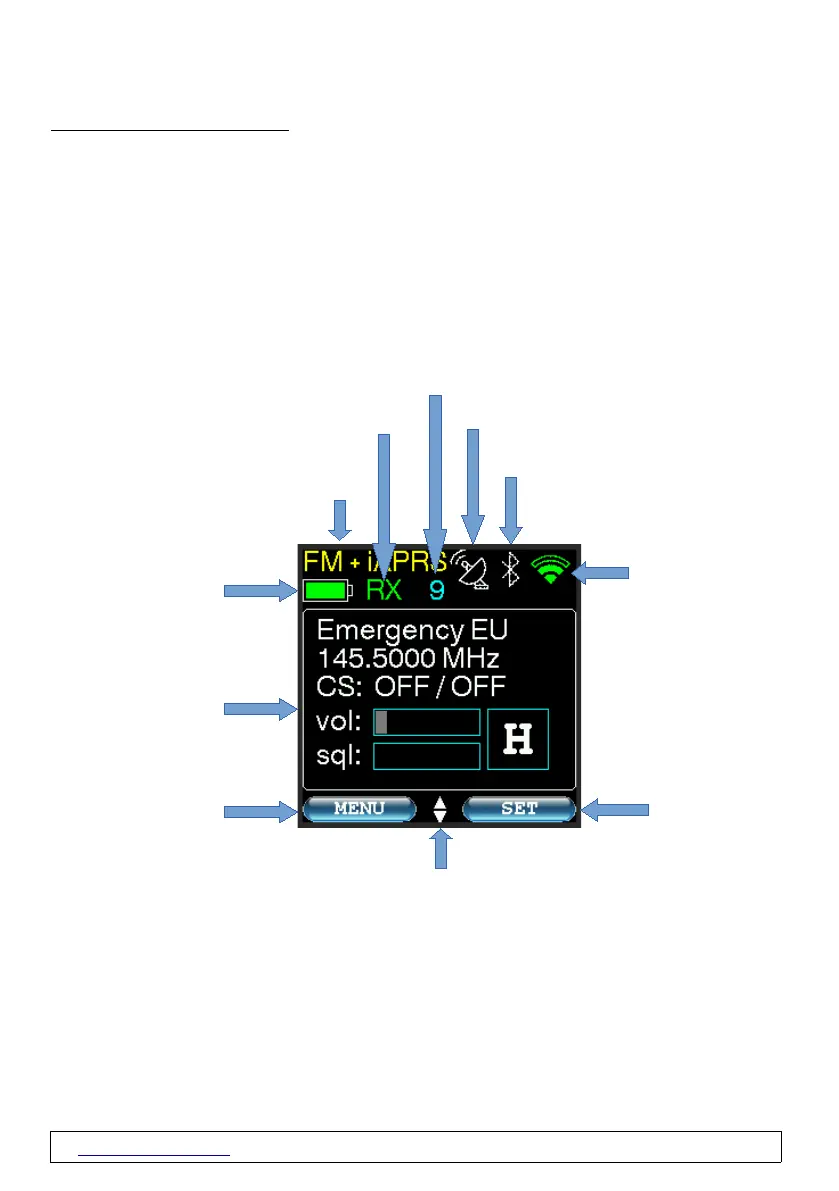
2.4 Mainscreen
The content of the main screen changes depending on the set operating mode.
The screen has no touch function. The "soft buttons" shown (in light blue, here "MENU" and SET")
indicate the situation-dependent function of the left and right button of the 5-way button.
If there are small triangles (see image below) pointing up and down between the “soft keys”, it
means that the up and down keys have a function at that moment.
The following information is displayed on the main screen:
www.wimo.com - 9- ©Taner Schenker, 13. December 2022


 To Next Page