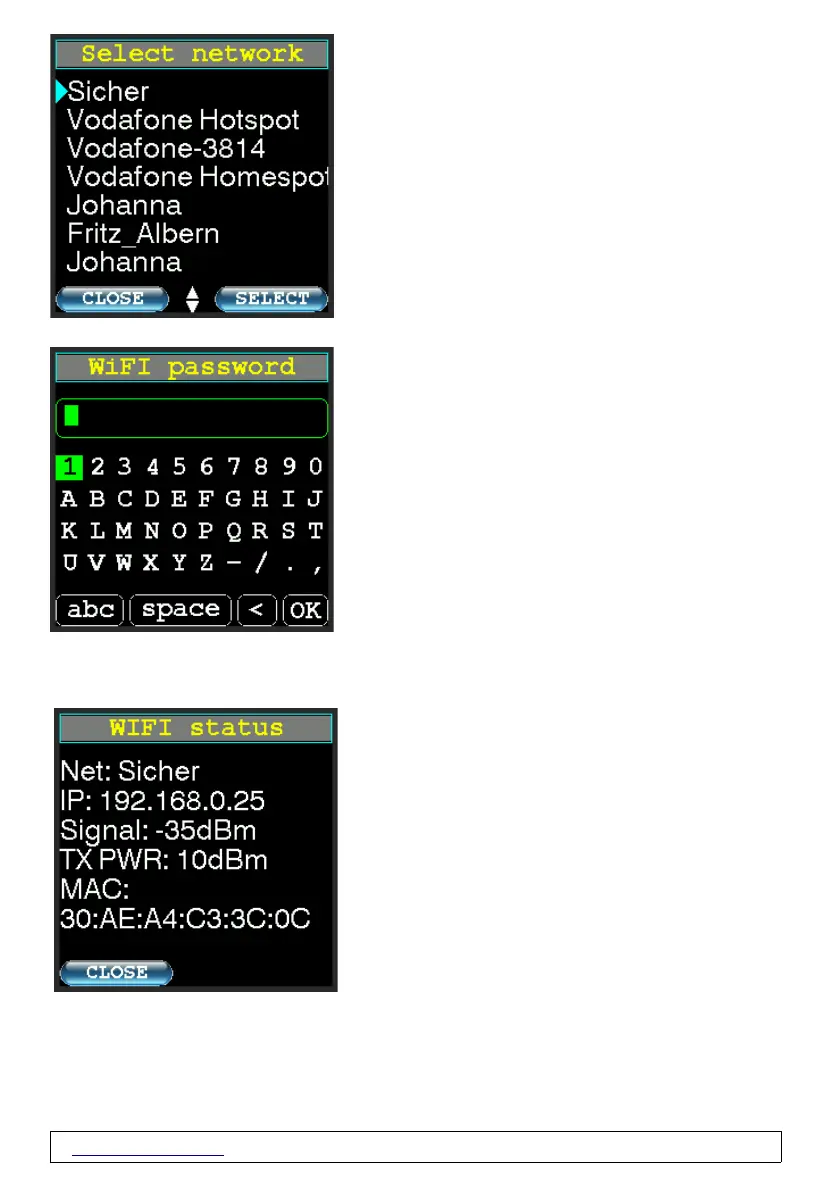
Select the desired network with the up or down
button and then press the right "SELECT"
button to select.
Enter your WiFi® password here.
WIFI status
Shows you the network name, the IP and
MAC address of your PicoAPRS as well as the
WiFi® field strength and the WiFi®
transmission power.
The transmission power is adjusted depending
on the reception field strength.
www.wimo.com - 27- ©Taner Schenker, 13. December 2022


 To Next Page