2. Operation
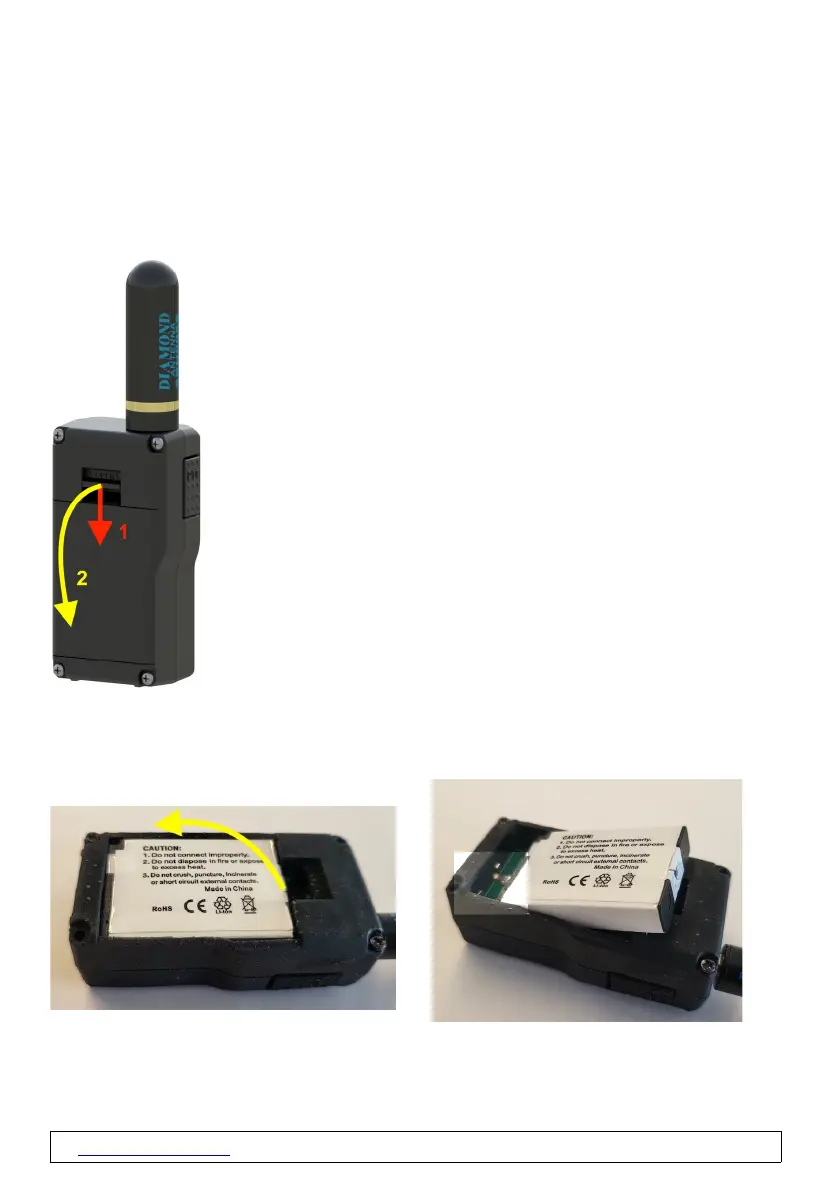
2.1 Installing and removing the battery
1. Unlock the battery cover by pulling the tab on the cover down with your
fingernail.
2. Remove the battery cover.
3. Remove the battery from the device at the rear end of the battery (recessed
grip).
Insert in reverse order, please note the alignment of the baery contacts to the
contacts in the PicoAPRS.
www.wimo.com - 7- ©Taner Schenker, 13. December 2022



 To Next Page