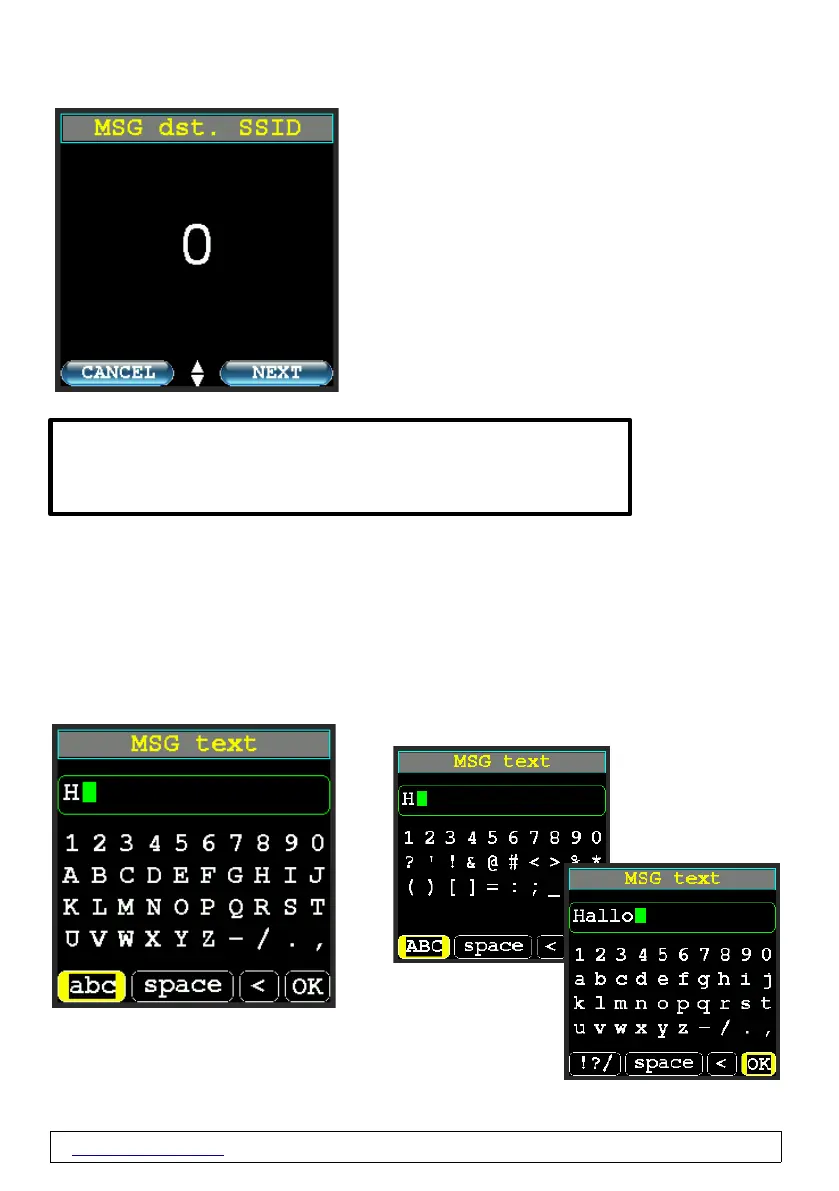
New Message Destination SSID→
Use the up and down buttons to select an SSID
between 0 and 15.
The input of letters is not intended here.
New Message Text→
Enter the message text here.
"Space" inserts a space.
"<" deletes the last character
"OK" ends the text input and leads to the next step
www.wimo.com - 32- ©Taner Schenker, 13. December 2022
TIP: You can also use this to send an e-mail to any e-mail address on
the APRS network! To do this, please enter the destination EMAIL-2 as
the recipient. Then enter the target e-mail address in the text field first,
followed by a space and then your message text.


 To Next Page