,Adjust button+:
③ Unit Settings: unit settings of speed and mileage
④ Wheel diameter information: wheel diameter information adapted for the display
⑤ This password Settings: user’s
password function
can change the password, shut down the operation
or turn off the defaulted setting.
⑥ Automatic shutdown: after 5 minutes (the default) no operation on the display, it will shutdown
automatically.
⑦ Speed limitation information: The allowed maximum speed information of the bike
⑧ Battery information: The information about the battery
⑨ Hardware information: The information about the hardware
⑩ Reset: Reset to factory settings
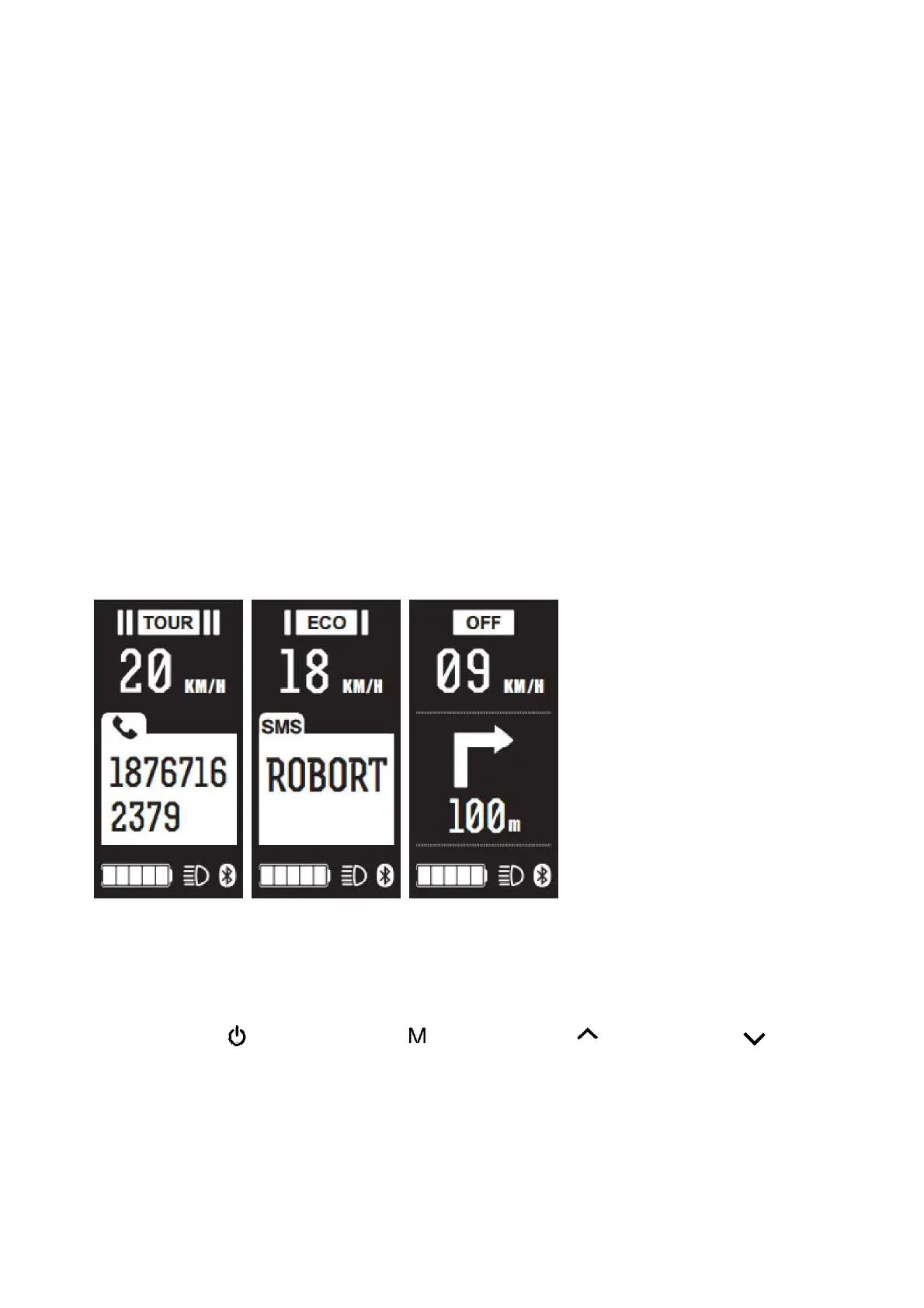
4.5 Mapping the mobile phone (connect to the mobile phone APP)
When the Bluetooth icon is displayed the mobile phone is connected with the APP.
① Setting the parameter of the display through mobile phone APP
② Navigation icon mapping display function
5 Definition of
but
tons
Turn on/off: ,Function button: ,Adjust button-:


 To Next Page