7 User settings
Setting items: unit, turn on password, wheel diameter, battery information, auto shut off time, system
information, reset factory settings.
(Information, *battery
information, time period of automatically shut down, *system information, reset to
factory setting. ( * means fixed items, do not provide user option to change)
7.1 enter setting status
1.
Within 10 seconds of the display being turned on,
hold down the M button for 3 seconds to enter
the data setting interface,
on this status users can set and view the parameters of the display.
2. Hold down the M button for 3 seconds to exit and save the setting, select (EXIT) on the setting
menu, hold down M briefly to exit and save the settings.
3. The user interface will revert to normal interface after no operation after 10 seconds in the
settings interface.
4. The up and down arrows will toggle between setting items.
7.2 Unit setting
Press the up and down arrows to select setting item in the unit setting interface. Briefly press the M button
in the exit interface to return to setting interface.
setting interface. Press M in KM/Mile file to switch KM Mile unit.
Km:The unit of trip mileage and total mileage is Km. The unit of current speed, average speed;
maximum speed is KM/H.
Mile:The unit of trip mileage and total mileage is Mile. The unit of current speed, average speed, and
maximum speed is MPH.
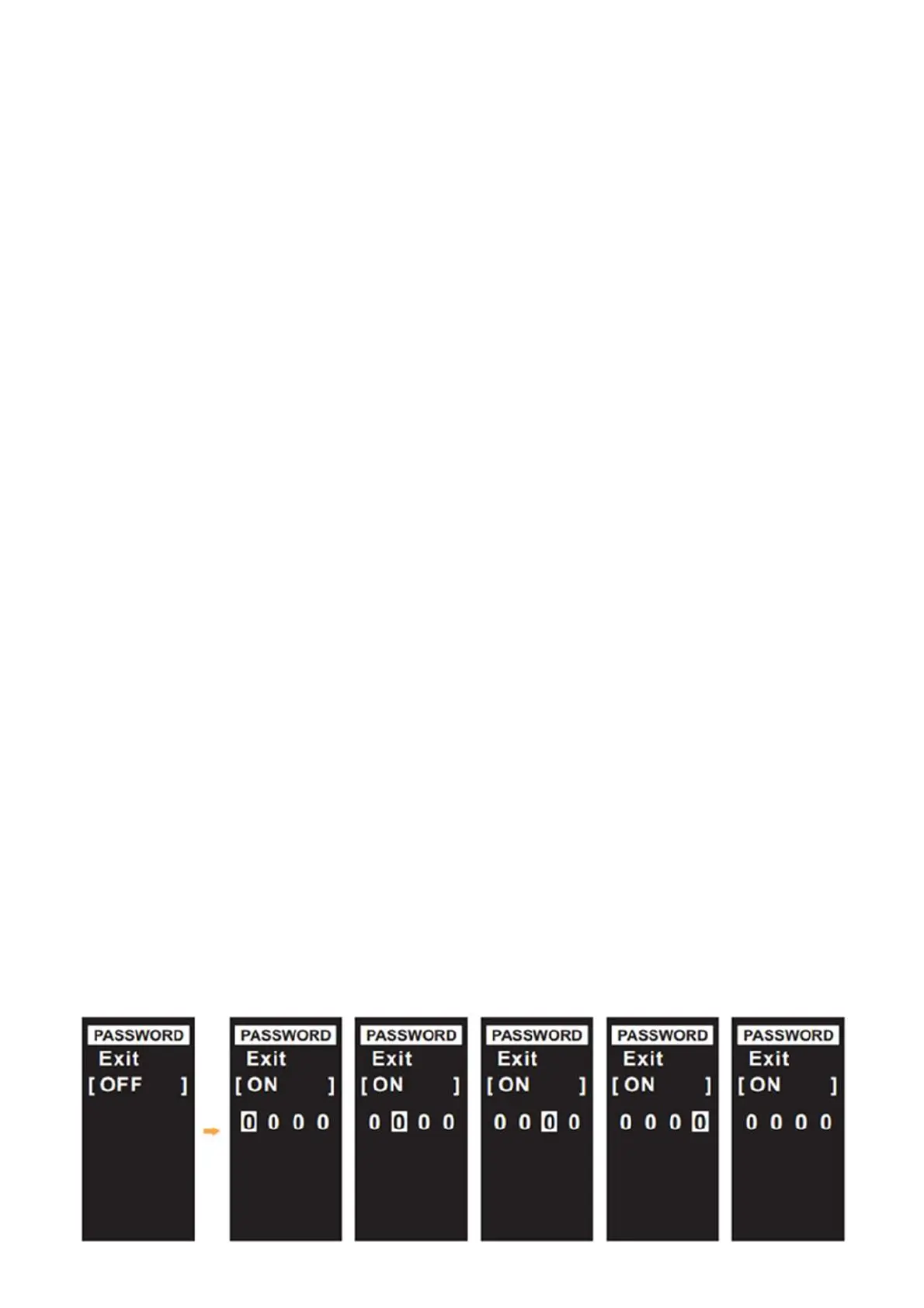
7.3On/off password setting
Enter on/off password setting, press the up and down arrows to OFF/ON item, Briefly press M to select
OFF/ON, to turn on or turn off the password on/off function; Choose ON to turn on the on/off password
function and to switch password selection from left to right requires a brief press of the up and down
arrows in either preferred direction to adjust the password character .


 To Next Page