① The riding time shows the ride duration. The rest of the information is the same as basic interface.
4.3 Function interface (II)
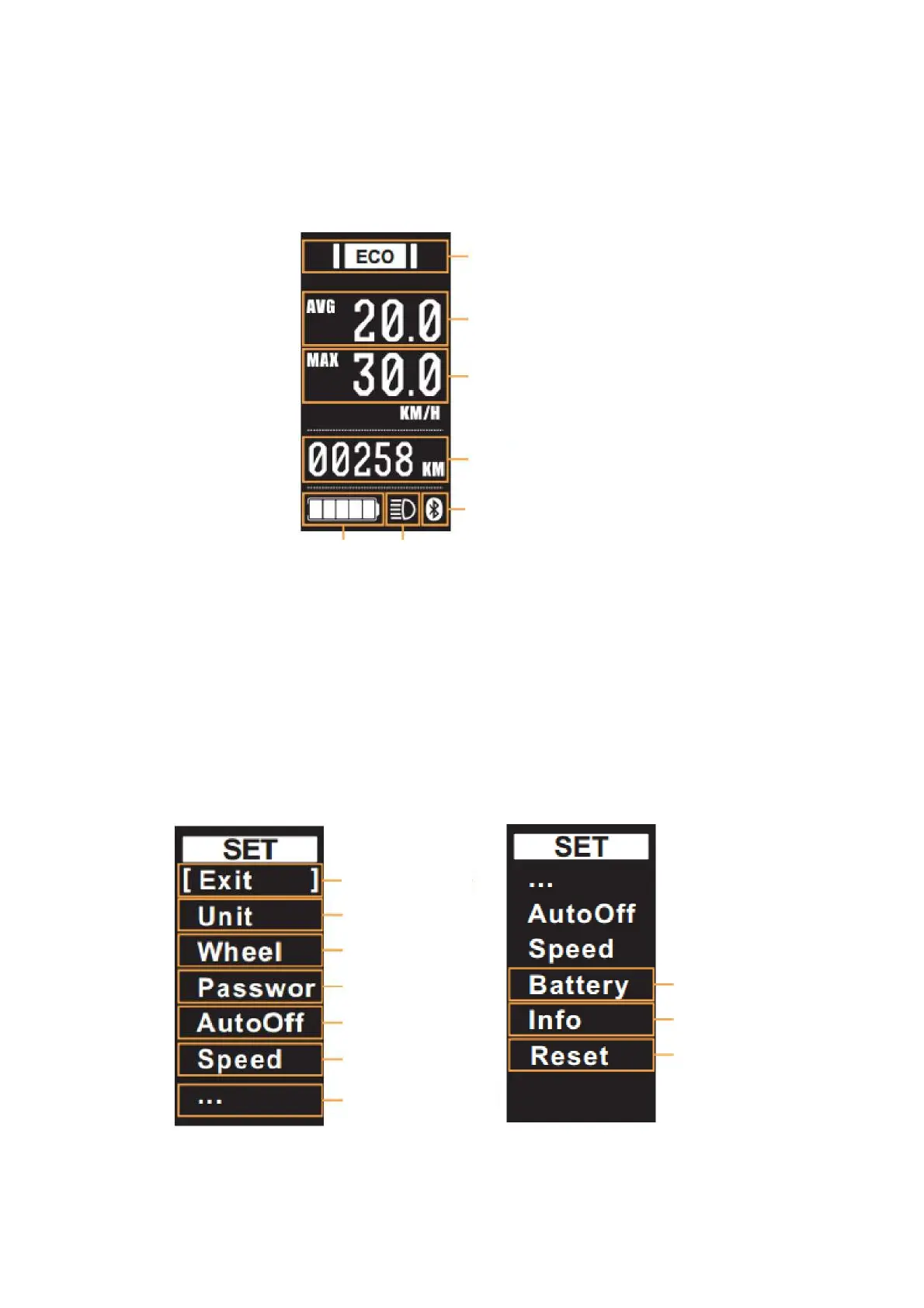
① Average speed (AVG) shows the average speed of the ride
② Maximum speed (MAX)
shows the maximum speed of the ride
③ Total mileage ODO shows the mileage of the whole ride, maximum is 9999km.
The rest of the information is the same as the basic interface.
4.4 Setting interface
① Setting interface prompt, current interface is for setting
② Exit item and select required option: short press the function option to exit the setting interface and
return to the
basic interface; [] select menu.
Distance trip
Max speed
Average speed
Bluetooth icon
Headlight icon Battery icon
Assist level
Exit
Unit
Wheel
Battery
Password
Info
Auto off
Reset
Speed
More


 To Next Page