7.9 Reset
Reset, press the up and down arrow
to choose setting, switch to YES option, a Brief press on the M button
to restart the display.
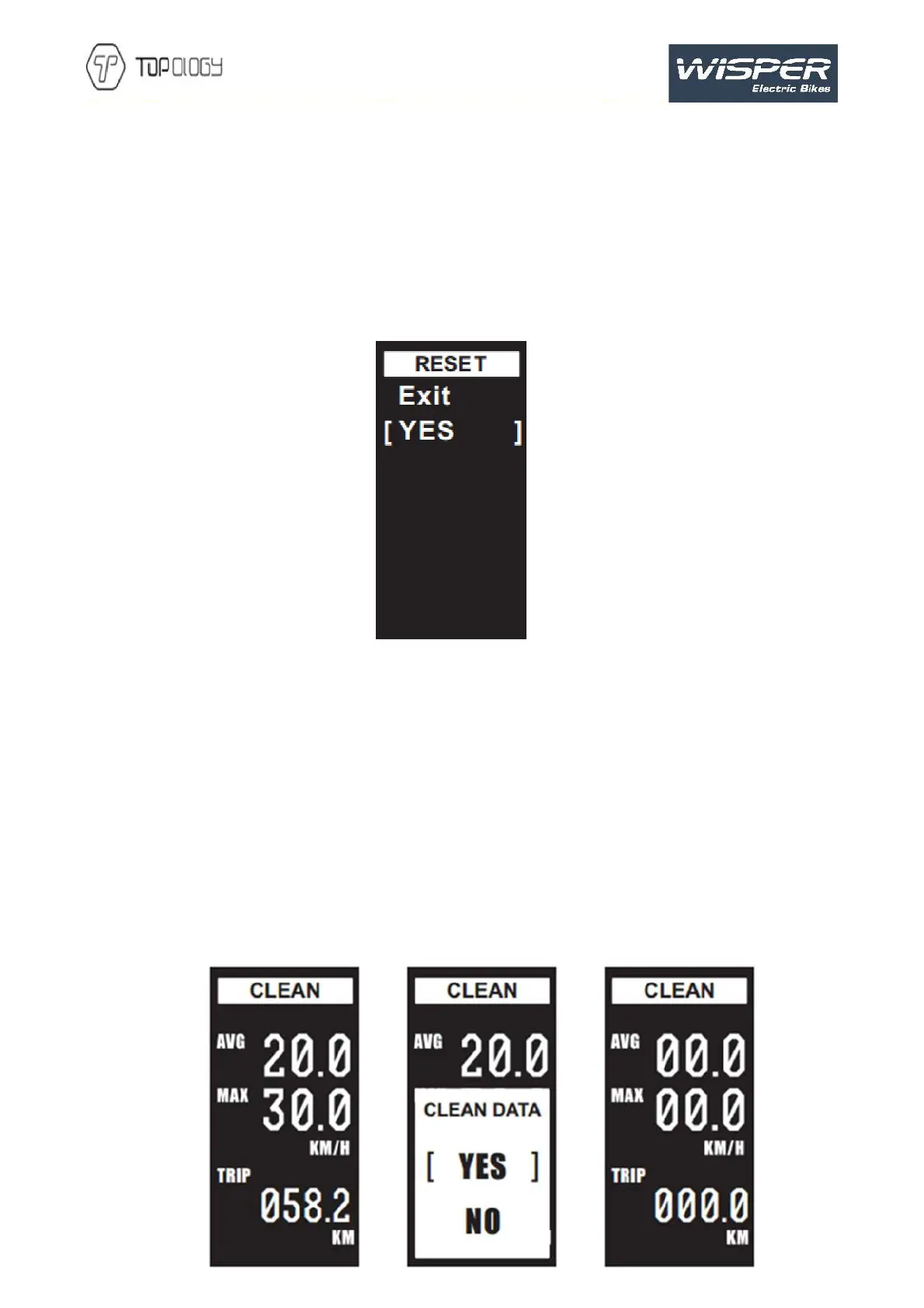
The parameters will reset to the factory state. Press Exit to exit the page and return to previous
level. Interface below:
8 Data
10 display turned on, ),enter the data clearance interface,
short press the
to choose item, short press again
to clearance trip mileage (TRIP), riding time (TRIP TIME), average speed (AVG) and maximum speed
(MAX) and return to operation interface. Display will return to riding interface without data clearance
if no operation in 5 seconds.
Normal shutdown and power-down will not make the above data clear.


 To Next Page
 Loading...