6
Operation
6.1 Turn on/off
Hold down
the Power button when the display is off. Display shows the boot interface and enters the
basic interface to start.
Hold down the power button for 2 seconds when the display is turned on to power down the interface.
If the bike is not operated within 5 minutes the display will automatically power down.
6.2 Assist
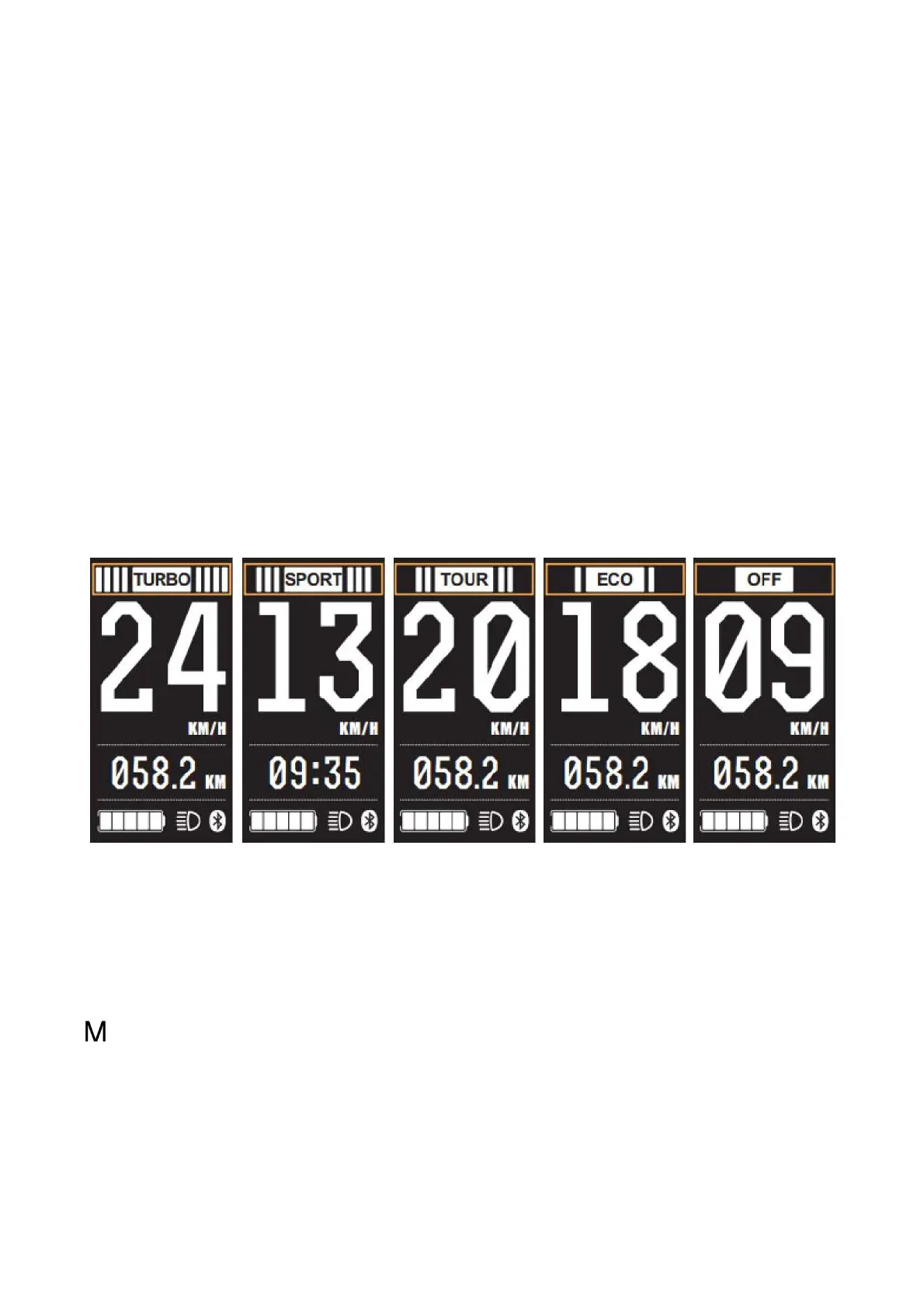
Modes: OFF/ECO/TOUR/SPORT/TURBO. Default ECO mode when display is turned on. OFF means
no assist power. (assist mode icons as below)
TURBO Mode SPORT Mode TOUR Mode ECO Mode OFF Mode
6.3 Display information switch
Information switches from trip miles/ riding time/ average speed/ max speed/ total mileage by pressing
when the display is on. It shows the distance traveled in trip miles (TRIP) ->riding time (TRIP
TIME)-> average speed (AVG), maximum speed (MAX), total mileage (ODO).
Mode switch as below pictures:


 To Next Page