EN-19
Withings Aura
v2.0 | July, 2015
settings of your device and pair it from there. It should now appear in the
Withings Health Mate app.
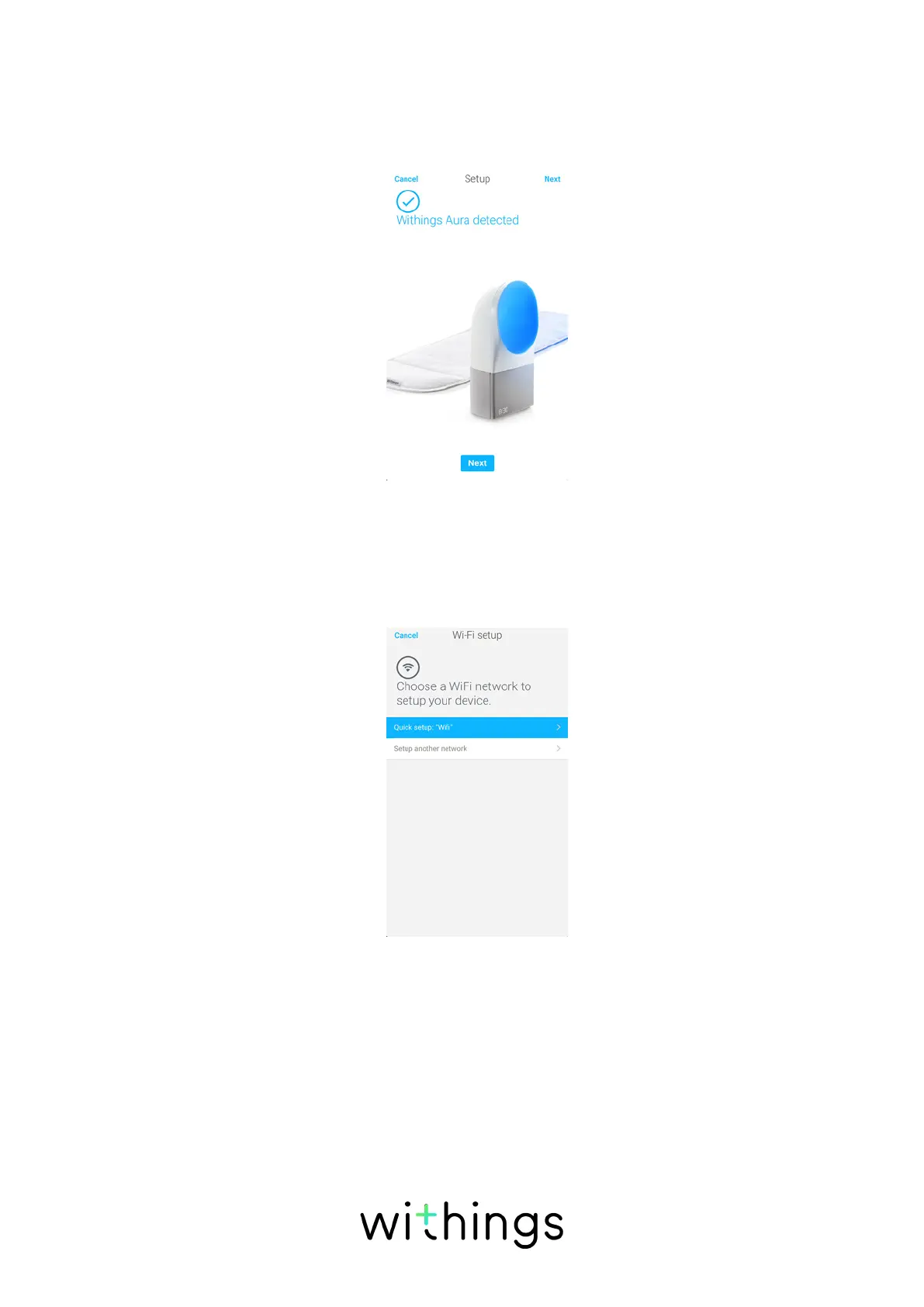
8. Tap Pair to pair your Connected Alarm Clock with your device.
9. Tap Next.
10. Tap the Wi-Fi network you want to use or tap Manual configuration.
11. Enter the password of the Wi-Fi network.
12. Tap Next.
13. Tap Quick setup to use the same Wi-Fi network as your mobile device or
Setup another network to use another one.


 To Next Page