EN-35
Withings Aura
v2.0 | July, 2015
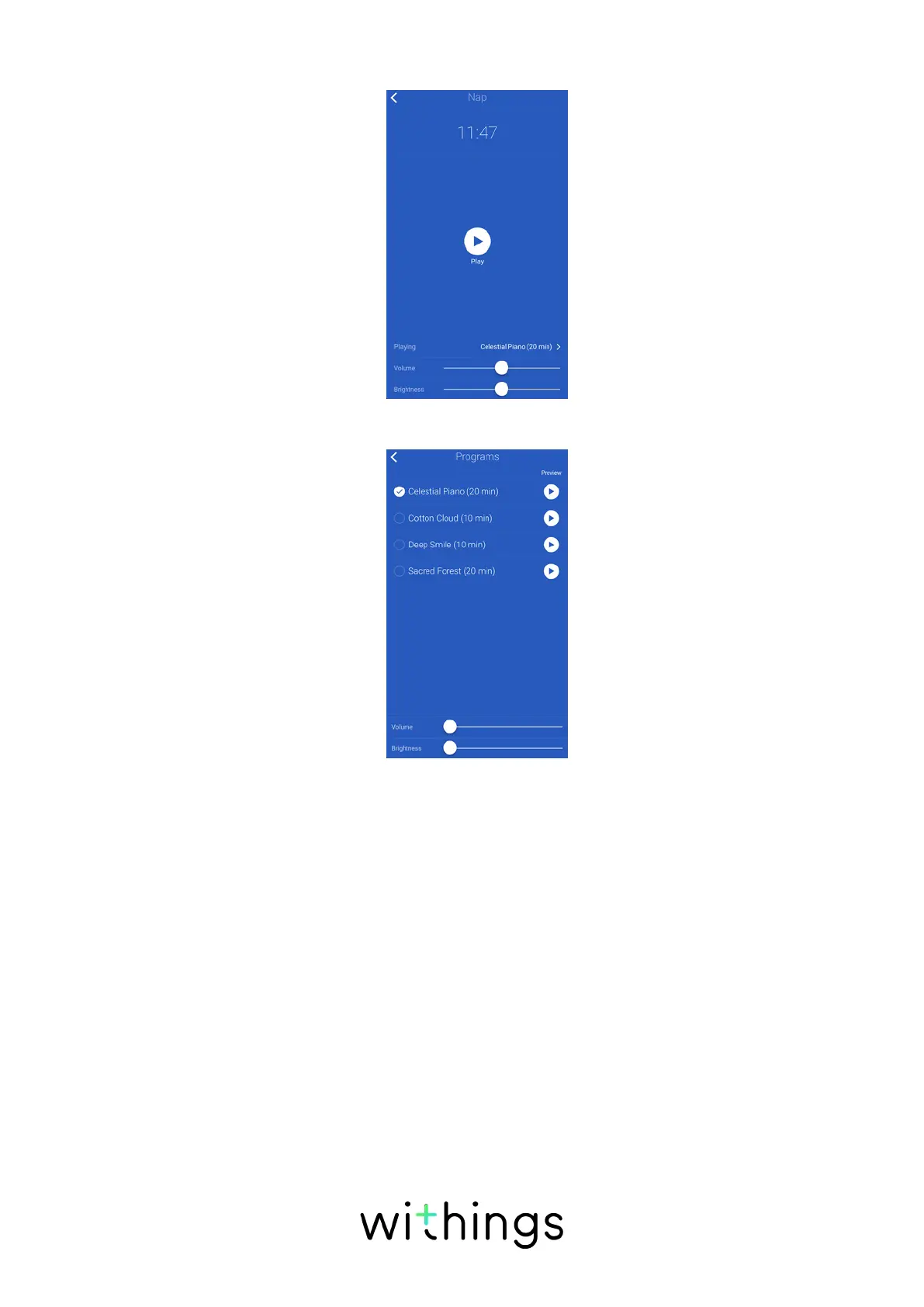
5. Tap Playing to select your program.
6. Tap the program you want.
7. Adjust the volume with the Volume slider.
When the program is playing, you can adjust the volume of the program by
swiping your hand up or down on the right side of the Connected Alarm Clock.
8. Adjust the brightness of the light with the Brightness slider.
9. Tap the back button.
Stopping a Sleep Program
Stopping a sleep program from the app
You can easily stop a sleep program from the app by opening the
Withings Health Mate app and tapping STOP.
Stopping a sleep program from the Connected Alarm Clock
You can stop the sleep program directly from the Connected Alarm Clock. To do
so, double-tap the top of your Connected Alarm Clock.


 To Next Page