EN-44
Withings Aura
v2.0 | July, 2015
Setting Up the Sleep Sensor
Overview
Provided that you already have a Connected Alarm Clock, up to two
Sleep Sensors can be installed. They allow you to benefit from additional features,
such as sleep tracking, resting heart rate monitoring, and Smart Wake-Up. Refer
to “Smart Wake-Up Feature” on page29 for more information.
You absolutely need a Connected Alarm Clock to be able to set up a
Sleep Sensor.
There are three scenarios possible when installing a Sleep Sensor:
• You want to install it at the same time as you install your
Connected Alarm Clock,
• You want to install it later on
• You want to install a second sensor, on a separate account
Installing your Sleep Sensor
Installing your Sleep Sensor at the same time as your Connected Alarm Clock
After performing the steps described in “Installing your Connected Alarm Clock
with no existing account” on page12 or “Installing your
Connected Alarm Clock with an existing account” on page17, perform the
following steps:
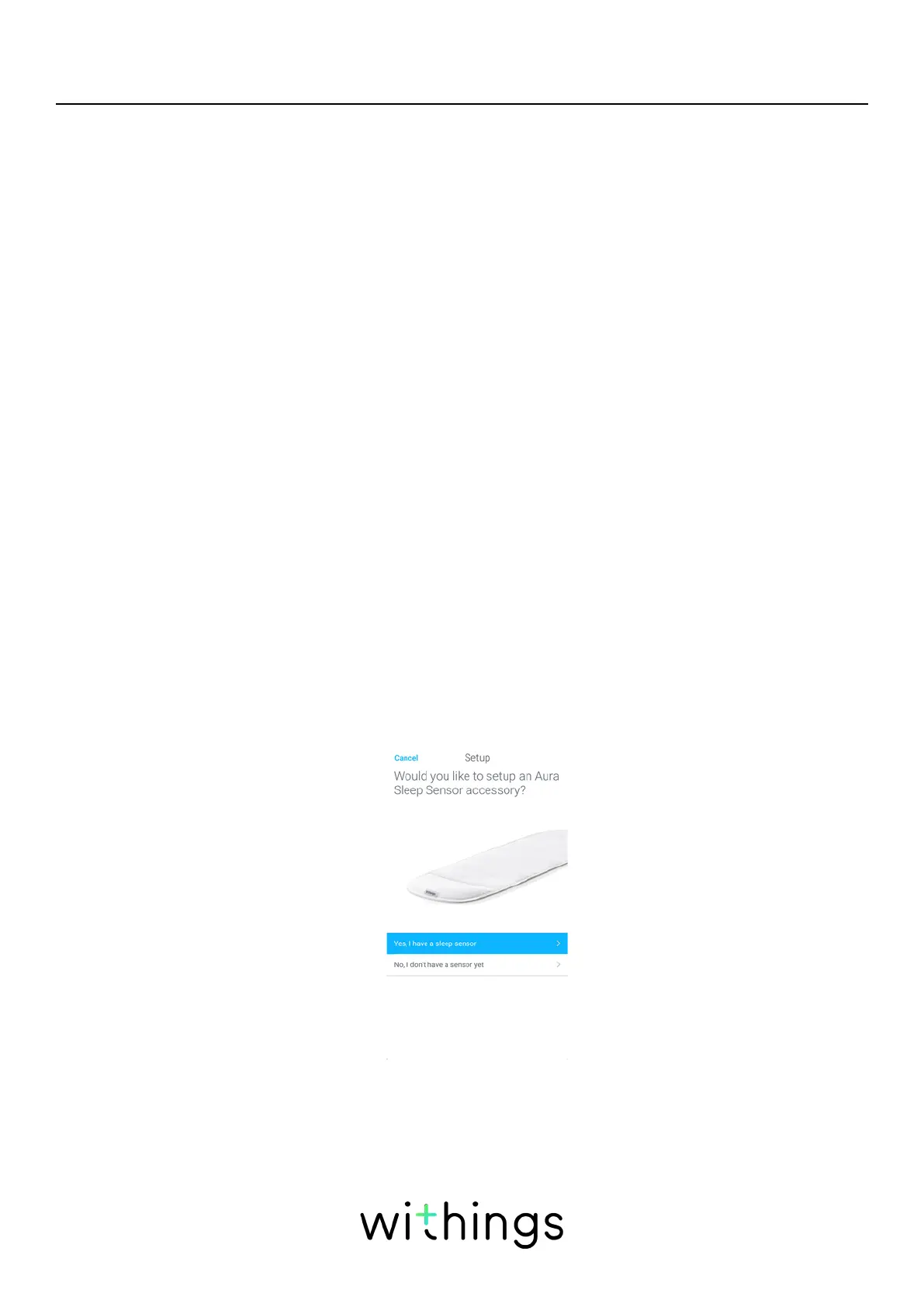
1. Tap Yes, I have a sleep sensor.


 To Next Page