EN-30
Pulse HR
v1.0 | November, 2018
Deactivating notifications
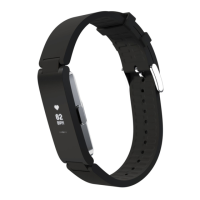
You can choose to deactivate notifications directly on your Pulse HR. To do so,
perform the following steps:
1. Press the button to go through the screens until the Do not disturb screen is
displayed.
2. Press the button of your Pulse HR for about a second until OFF is displayed on
the screen.
Notifications have been deactivated.
If you deactivated the Do not disturb screen on your Pulse HR, you won’t receive
notifications anymore on your tracker. However, all third-party apps will still be
activated in the Health Mate app.
If you want to deactivate all third-party apps notficiations, go to Devices >
Pulse HR > Notifications and deactivate Enabling Notifications and Applications.


 To Next Page