EN-33
Pulse HR
v1.0 | November, 2018
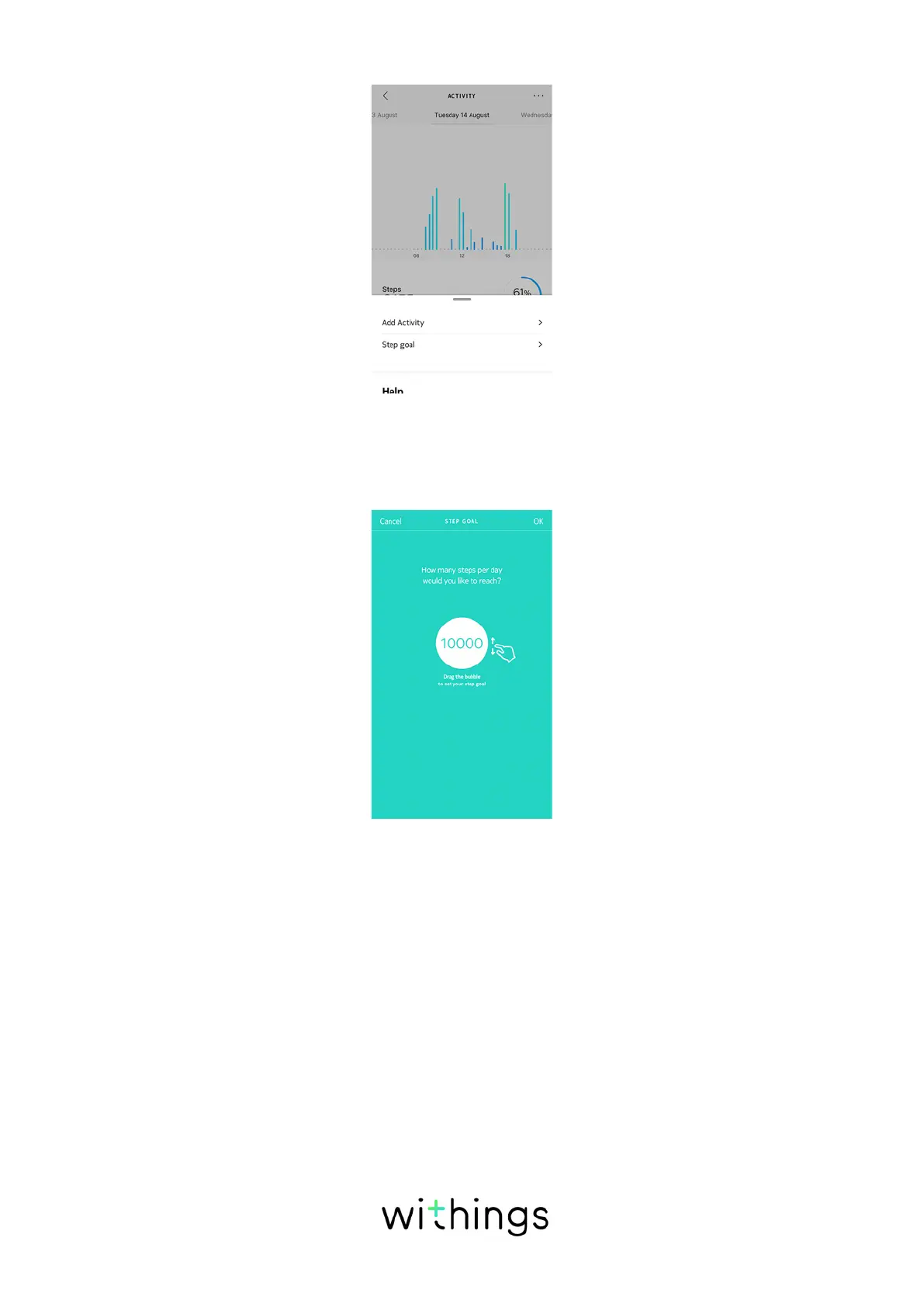
4. Tap Step goal.
Note that you can also change your step goal by going to Profile > Goals >
Daily steps.
5. Tap and slide the daily step goal up or down to select the goal you want.
6. Tap OK.
7. Sync Pulse HR by opening the Health Mate app and refreshing your Timeline
by sliding your finger from top to bottom.
Tracking my swimming sessions
Pulse HR allows you to track your swimming sessions. All you have to do is wear
your watch while swimming. It will automatically detect that you’re swimming and
track your swimming sessions without any action required on your part.
Once you’re done swimming, the Health Mate app will let you know how long
your session was and how many calories you’ve burned.


 To Next Page