EN-34
Pulse HR
v1.0 | November, 2018
Tracking my sleep
Overview
Your Pulse HR lets you track your sleep without requiring any action on your part.
All you have to do is wear your watch when you go to sleep: it will do the rest on
its own.
If you do not want to track your sleep, simply don’t wear your Pulse HR to sleep.
Retrieving my sleep data
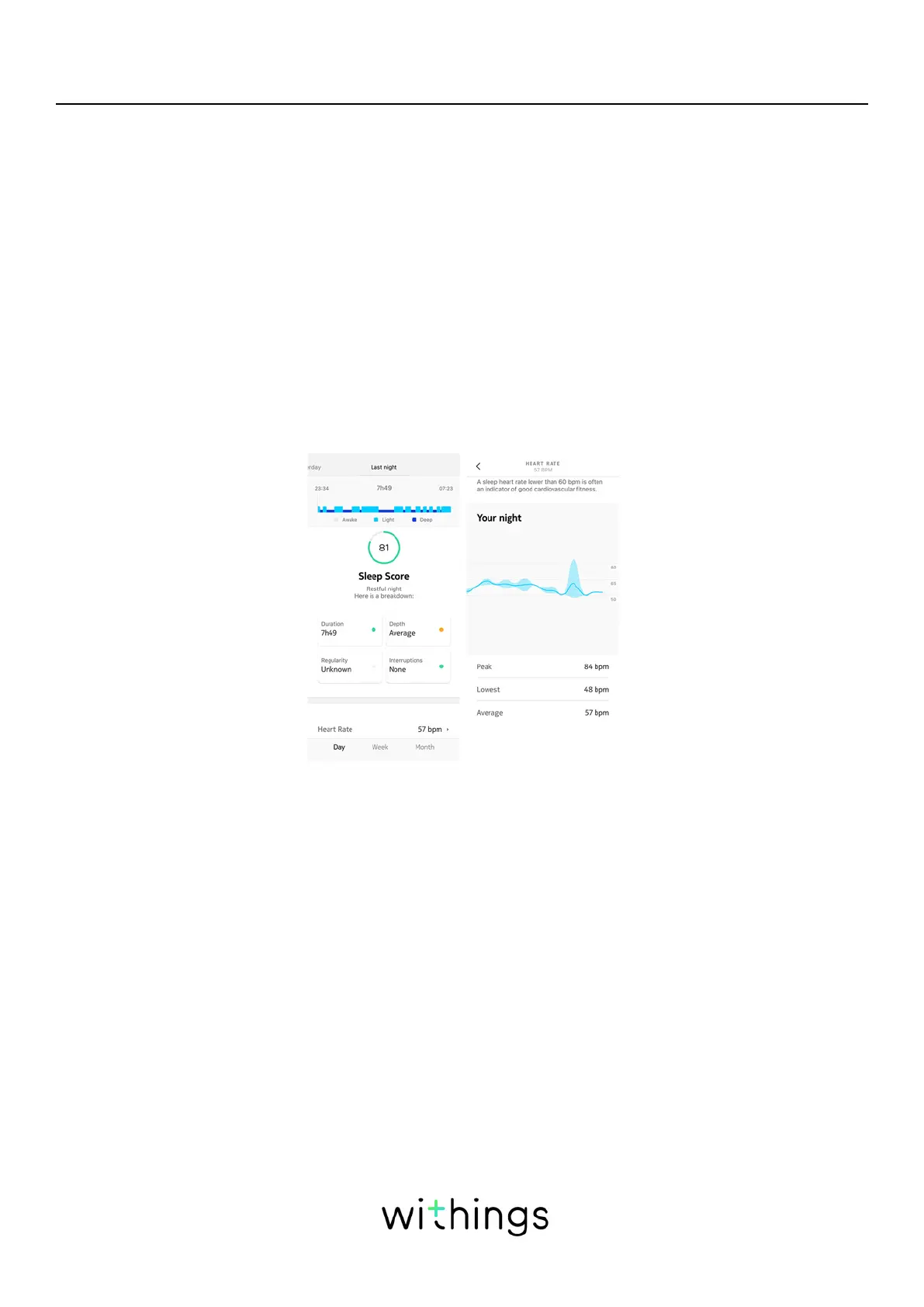
You can retrieve the sleep data collected by your Pulse HR in your Timeline in the
Health Mate app.
Grey: time spent awake - Medium blue: duration of light sleep - Dark blue:
duration of deep sleep
The Health Mate app keeps your entire history, allowing you to easily track how
your sleep data evolves over time.
Note that we have chosen to disable the detection of naps to focus on an
improved tracking of your nights.


 To Next Page