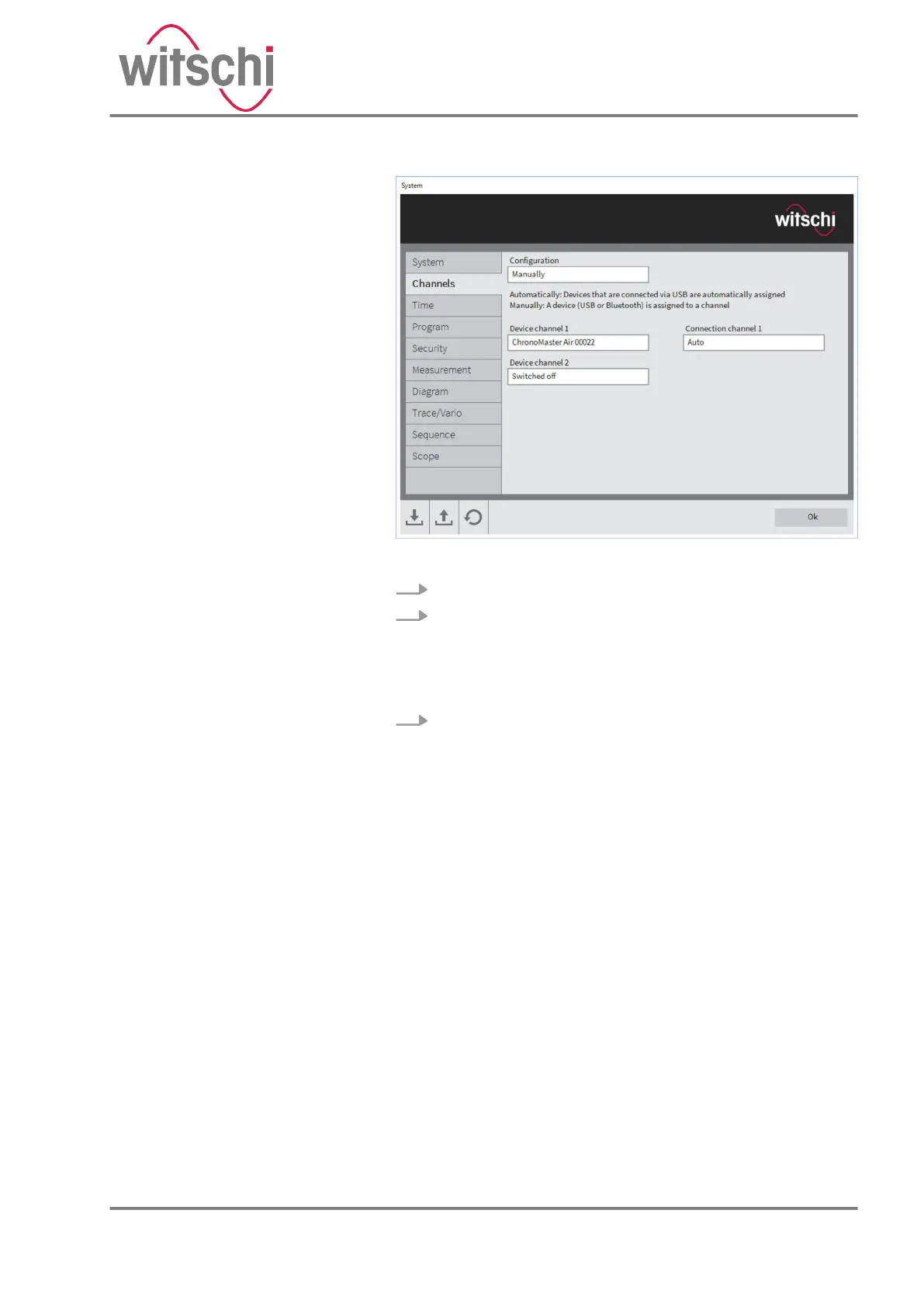
Fig. 9: Manual channel assignment
3. Click on the “Channels” tab and select “Manual” .
4. Select a device from the list in the selection window for
“Device channel 1” or “Device channel 2” respectively.
ð
It is now possible to define which connection is used
for communication between the device and the PC or
tablet computer.
5. Select “Automatic” , “USB” or “Bluetooth” .
ð
USB:
• The channel is only assigned to the device selected
if it is connected to the PC or tablet computer by a
USB cable.
Bluetooth:
• The channel is only assigned to the device selected
using a Bluetooth connection, regardless of
whether there is a USB connection.
• The USB connection is then only used to charge
the rechargeable batteries.
Auto:
• The device selected is assigned either by using a
USB or a Bluetooth connection. The USB connec-
tion is given priority when this is done.
24.03.2021 Precision measuring device ChronoMaster / ChronoMaster Air 27



 To Next Page