WLKATA Mirobot Manipulator User Manual
Document version 1.0 User Manual Copyright© Beijing Tsinew Technologies Co., Ltd.
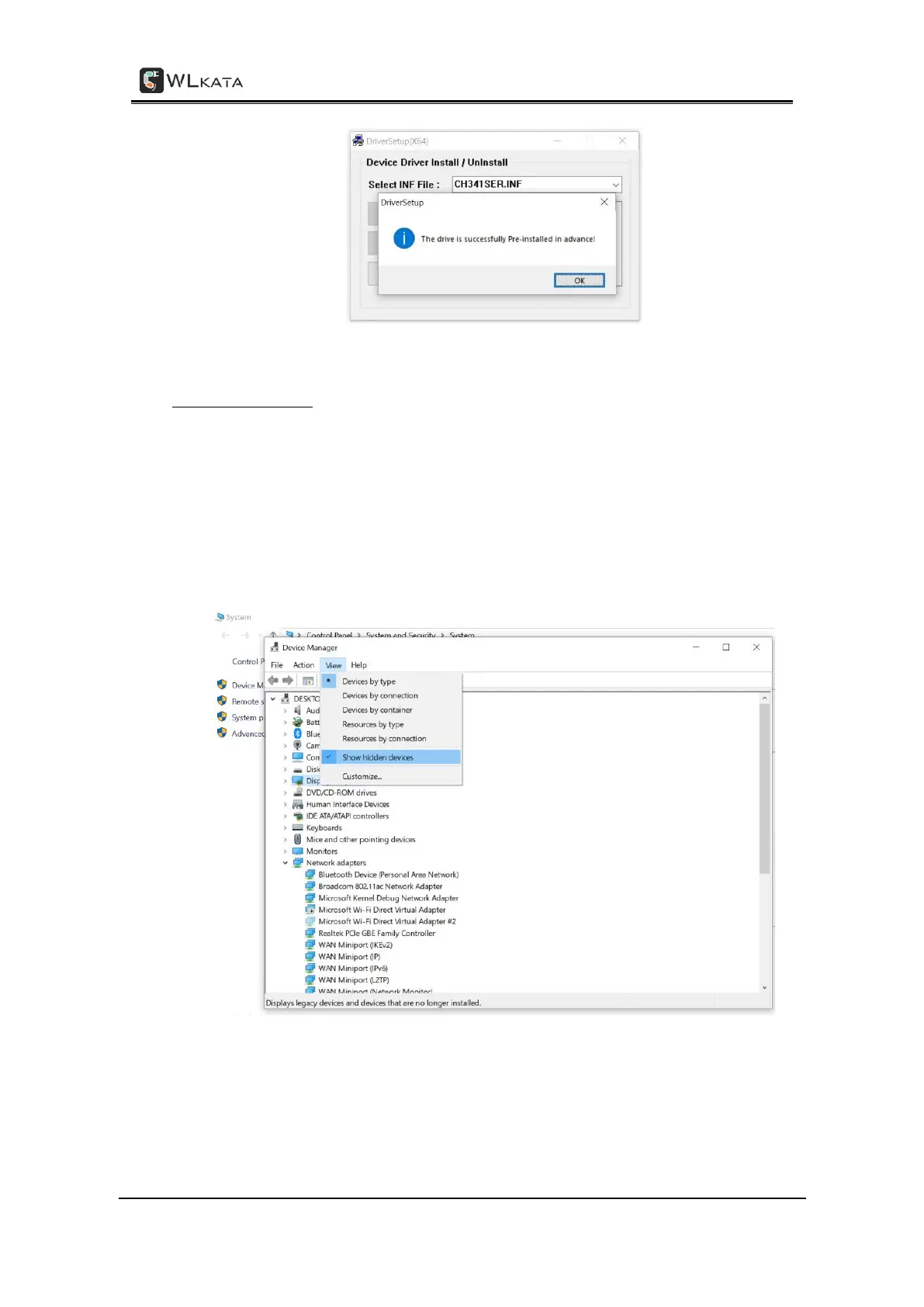
Driver installed successfully
2.Verifying the driver
(1) Ensure to connect the manipulator to the computer by using the supplied USB data
cable.
(2) Open the Device Manager in your PC windows system. Ensure to tick the Show hidden
devices option in the View menu. If the "USB-serial ch340 (COM4)" can be found in the port
(COM and LPT), it means the driver is installed successfully. The port number following the
COM may be different depends on the default driver installation of your system.



 To Next Page