WLKATA Mirobot Manipulator User Manual
Document version 1.0 User Manual Copyright© Beijing Tsinew Technologies Co., Ltd.
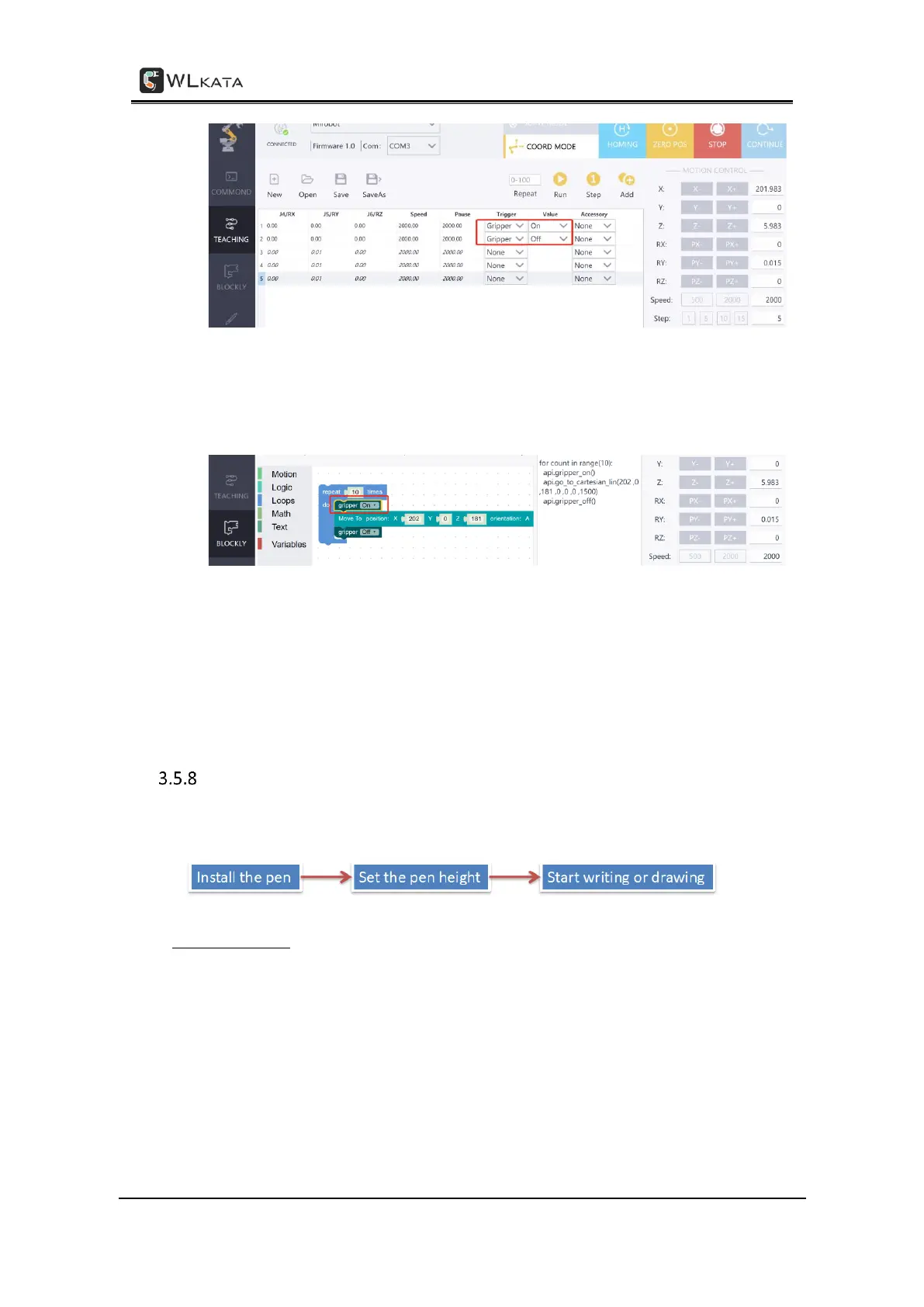
Controlling the gripper in the TEACHING function
• In the BLOCKLY page, control the gripper by drag and edit the Gripper module
which can be found in the Motion panel.
Controlling the gripper in the BLOCKLY function
(6) When finish using the gripper, power off the manipulator, and unplug the IDC cable
from the back of manipulator.
Using the DRAWING function
The overall process:
Installing the pen
(1) Install the pen-holder module and the pen.
• Fix the pen holder to the end of the robotic arm.
• Tighten the jackscrew with M1.5 hex key, and fix the pen holder on the end
motor shaft of the robotic arm.
• Insert the pen into the holder from top.



 To Next Page