WLKATA Mirobot Manipulator User Manual
Document version 1.0 User Manual Copyright© Beijing Tsinew Technologies Co., Ltd.
(9) When finish using the gripper, power off the manipulator, and unplug the IDC cable
from the back of manipulator.
Using the Python programming
Please be aware that WLKATA Studio supports Python 3.8 and below.
Preparation
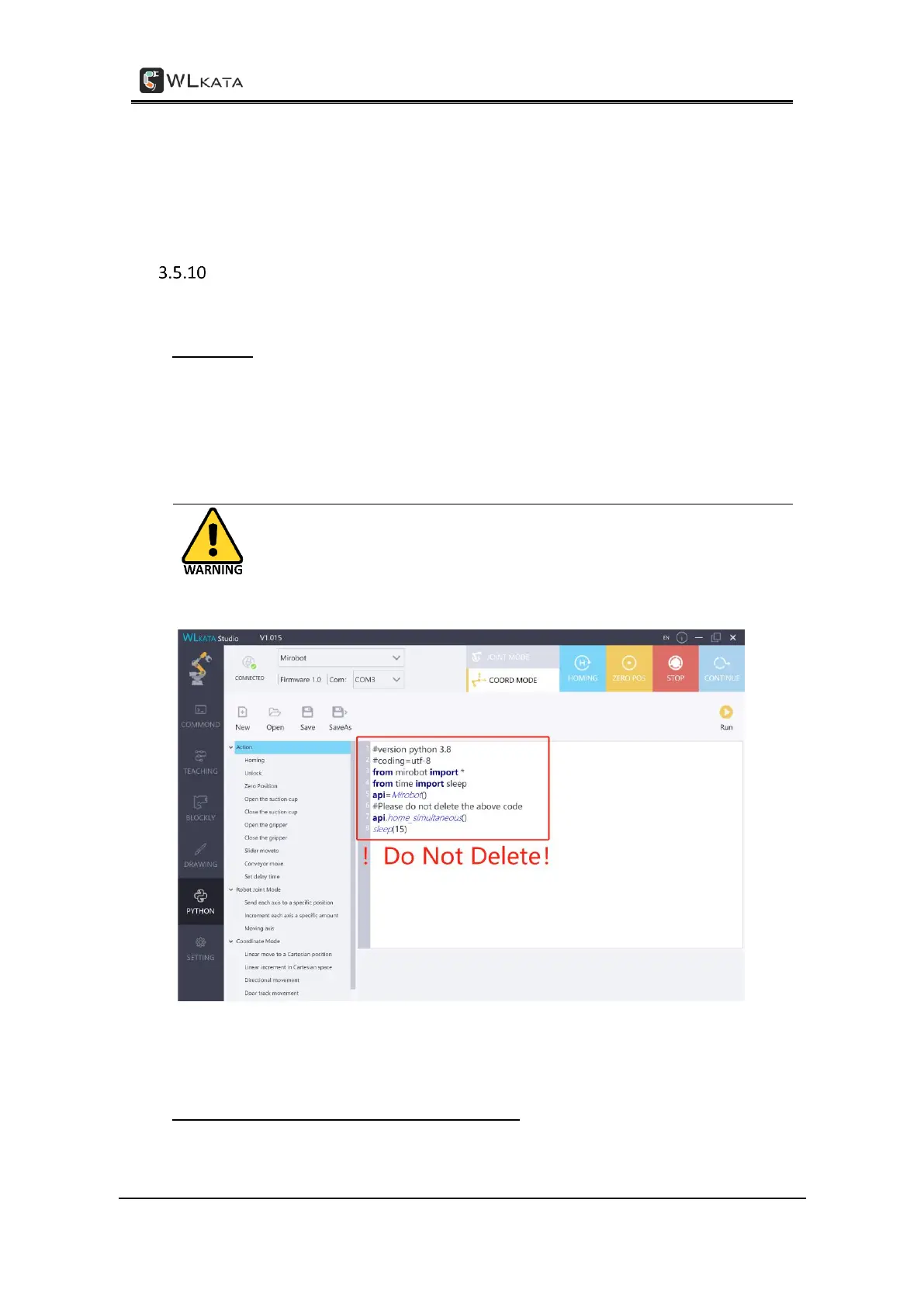
(1) Switch to Python function in the WLKATA Studio by click the PYTHON tab in the software
interface.
(2) Please DO NOT change the first 8 lines of code in the python window.
Please DO NOT change or delete the first 8 lines of code in the
python window, or the manipulator may run discordant and cause
illegal motions.
DO NOT change or delete the first 8 lines of code in the python window
Quick command library in the Python programming
There are three groups of Quick commands in the library, the Action options, Angle control



 To Next Page