WLKATA Mirobot Manipulator User Manual
Document version 1.0 User Manual Copyright© Beijing Tsinew Technologies Co., Ltd.
Appendix I
WLKATA Mirobot Calibration Operation
Calibration Operation Procedure:
The Mirobot is calibrated before leaving the factory. In each time the manipulator finishes
the HOMING action, the joint 1, joint 2, joint 3, joint 4 and joint 5 should be homed to the
pre-designed homing position.
After the HOMING action, if one or more of the joints is/are not in the pre-designed homing
position, one need to re-calibrate the manipulator. The Calibration procedure is explained as
below:
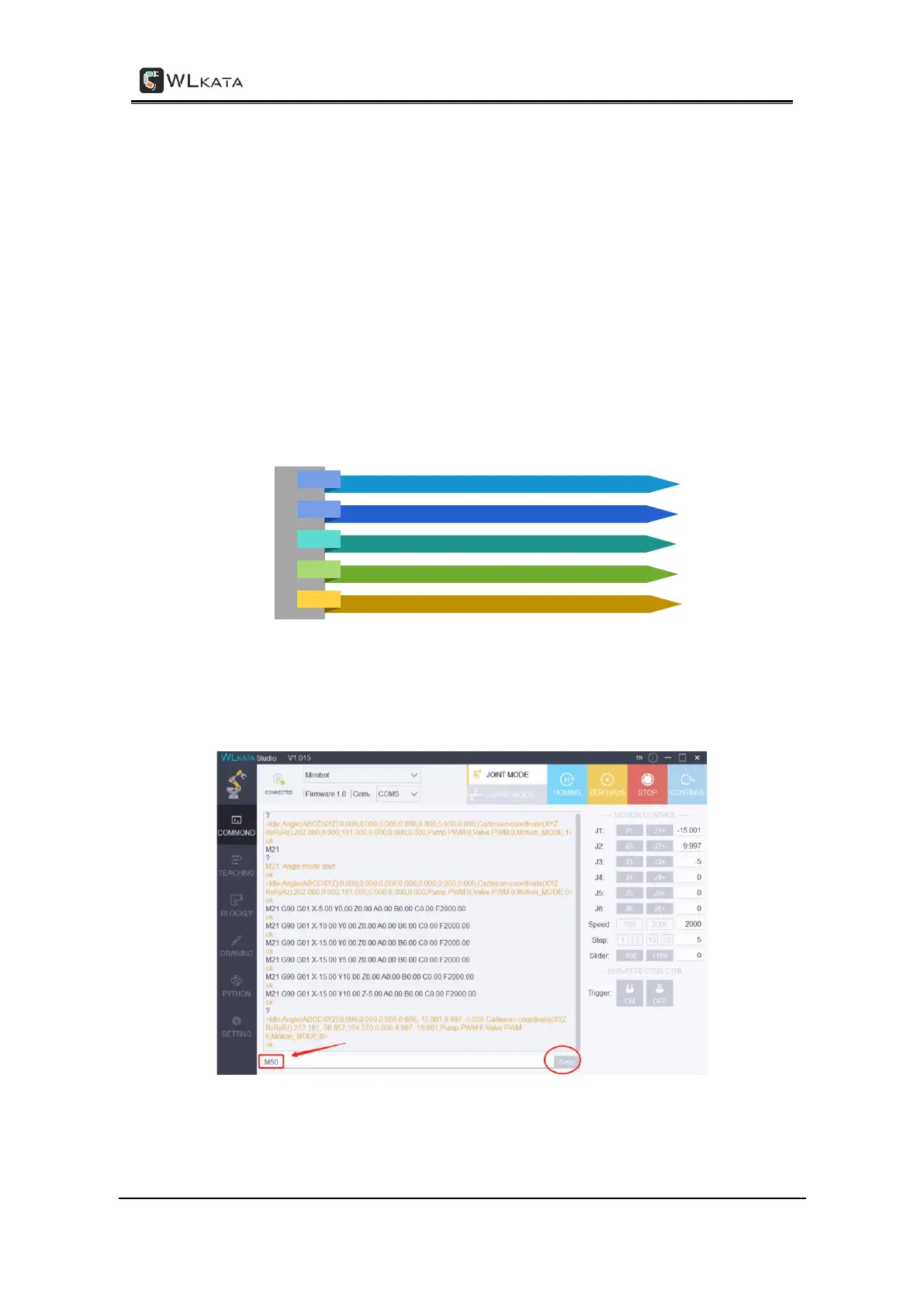
Step 1: Turn on the power of the robotic arm. Open the "COMMAND" interface of Mirobot
Studio software, enter "M50" and click "Send" to unlock each axis.
Step 2: Enter the "SETTING" interface, click "Calibration-Start".



 To Next Page