WLKATA Mirobot Manipulator User Manual
Document version 1.0 User Manual Copyright© Beijing Tsinew Technologies Co., Ltd.
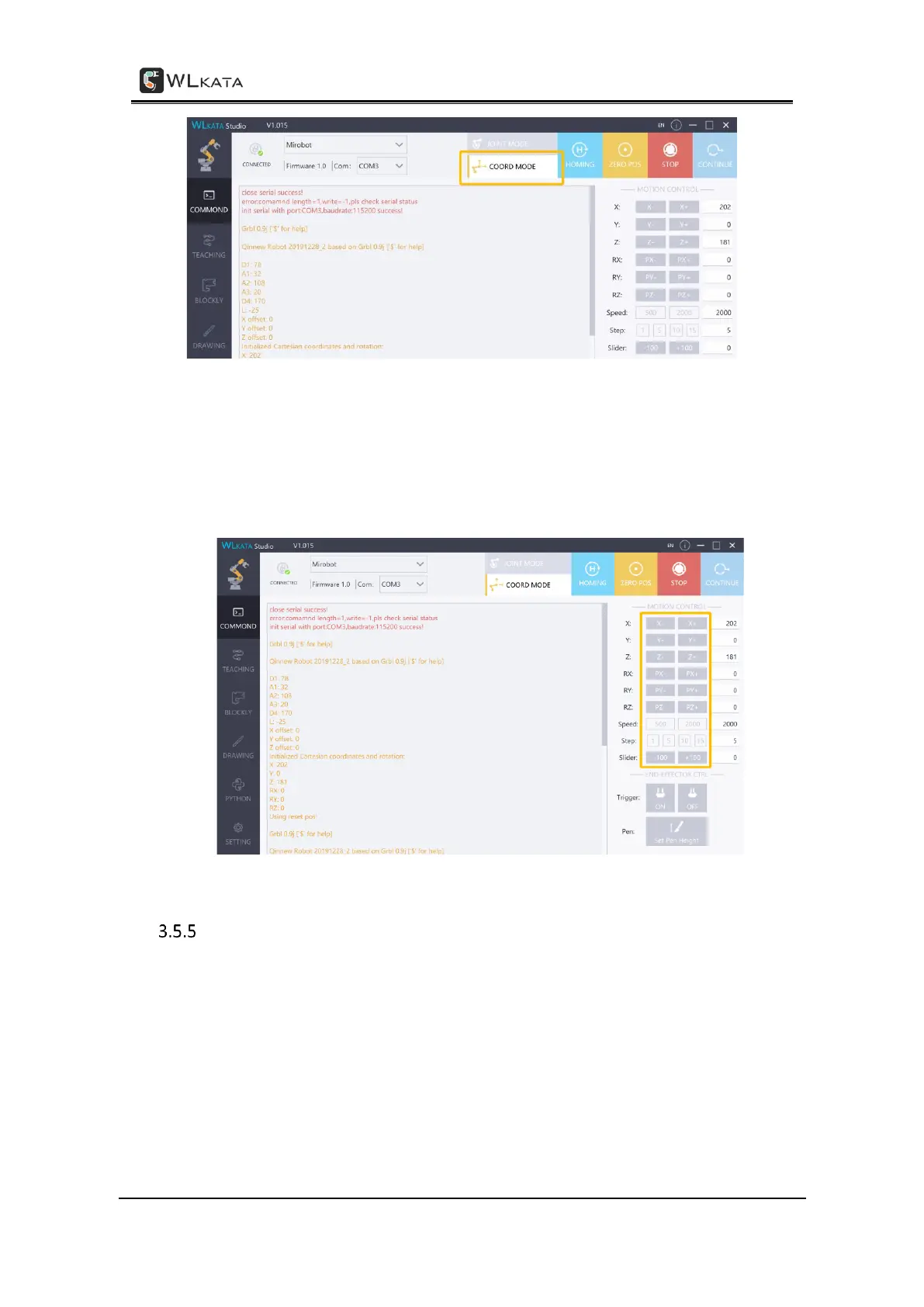
Selecting the COORDINATE MODE
STEP (3) Click each of the control button on the right panel of the WLKATA Studio to control
the spatial position and attitude (XYZ coordinate and RX RY RZ angle) of the End-effector of
the manipulator. The speed can be adjusted by input Speed value, and the step can be
adjusted by input Step value.
The COORDINATE MODE control panel
Using the TEACHING function
STEP (1) Click "TEACHING" to enter the interface.



 To Next Page