WLKATA Mirobot Manipulator User Manual
Document version 1.0 User Manual Copyright© Beijing Tsinew Technologies Co., Ltd.
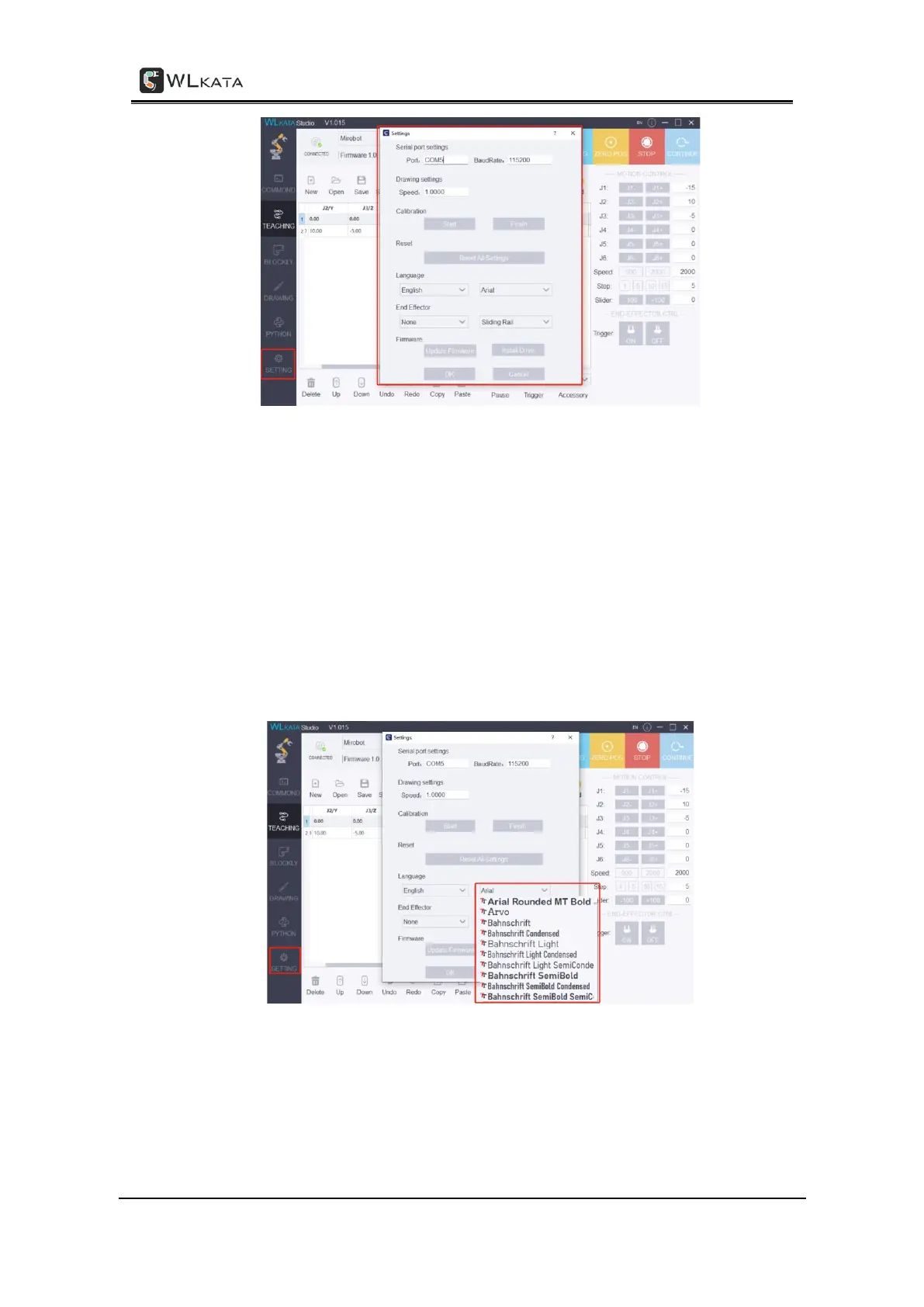
(1)Serial port settings: set the serial port and baud rate (115200) of the robotic arm which
connected to Mirobot Studio.
(2)Drawing settings: set drawing speed (recommending the default value)
(3)Calibration: used to calibrate the robotic arm.
(4)Reset: reset all data of the robotic arm (recalibration is required after reset)
(5)Language: Set language and font (After language setting, click OK to automatically
restart the software to take effect. After font setting, click OK to manually restart the software to
take effect) Or click the "EN" button in the upper right corner of the interface to switch between
Chinese and English.
(6)End Effector: select the end tool and rail/belt mode used by the robotic arm.



 To Next Page