20
User Manual WMF1200 S
Start-up
3.10 Switch on the coffee machine /
Start-up program
Switch on the coffee machine using the ON/OFF
switch
Coffee machine switches on.
The start-up program starts.
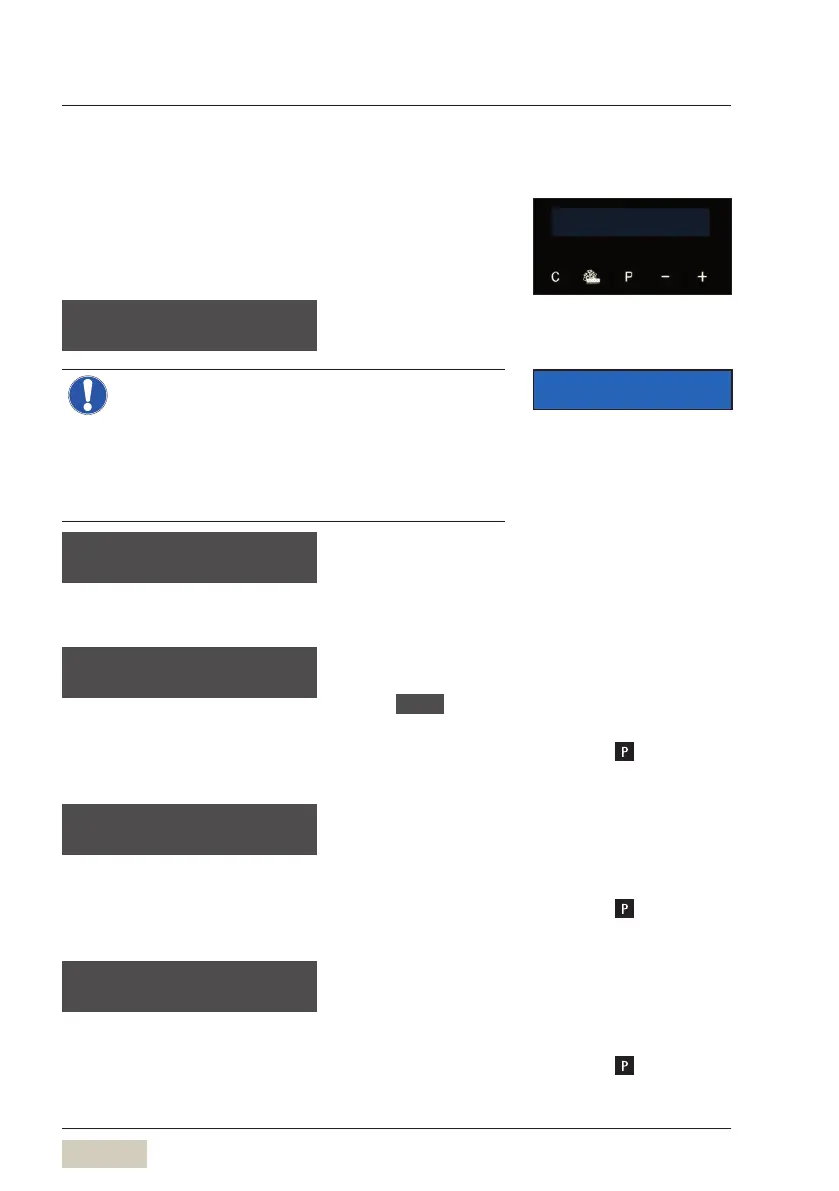
language: english
OK: P change: -/+
The language used in
the display is set here.
The start-up program provides astep-by-step
guide through the remaining start-up steps on
the display.
> Follow the display messages.
• The set values can be changed after
start-up.
initial set-up
of your WMF 1200 S
This message is displayed for 5seconds.
Thesoftware then provides aguide through the
initial settings.
Switch off time
sw. off time: 0 min
OK: P change: -/+
If the switch on time is activated, the coffee
machine switches on again at the set switch
on time.
Automatic switch off time in minutes after the
last beverage dispensing.
If set to 0min , the coffee machine does not
switch off.
Confirm the desired setting with
Time
time hh:m m:ss
OK: P change: -/+
The current time.
hh = hour (two places)
mm = minutes (two places)
ss = seconds (two places)
Confirm the desired setting with
Date
date dd.mm.aaaa
OK: P change: -/+
The current date.
dd = day (two places)
mm = month (two places)
yyyy = year (four places)
Confirm the desired setting with
your selection pls
08:15 09.01.2013
IMPORTANT
Change settings
w Settings
starting on page 32


 To Next Page