41
User Manual WMF1200 S
Settings | Basic settings
5.4 Basic settings
• Language
• Switch off time
• Switch on time
• Milk foam quality (optional)
• Topping quality (optional)
• Eco-mode
• Boiler temperature
• Office functions
• Time
• Date
• Date/Time (Display)
• Water filter
• Water hardness
• Audio signal
• SB mode (self-service mode)
• Display contrast
• Backup
• Change PIN
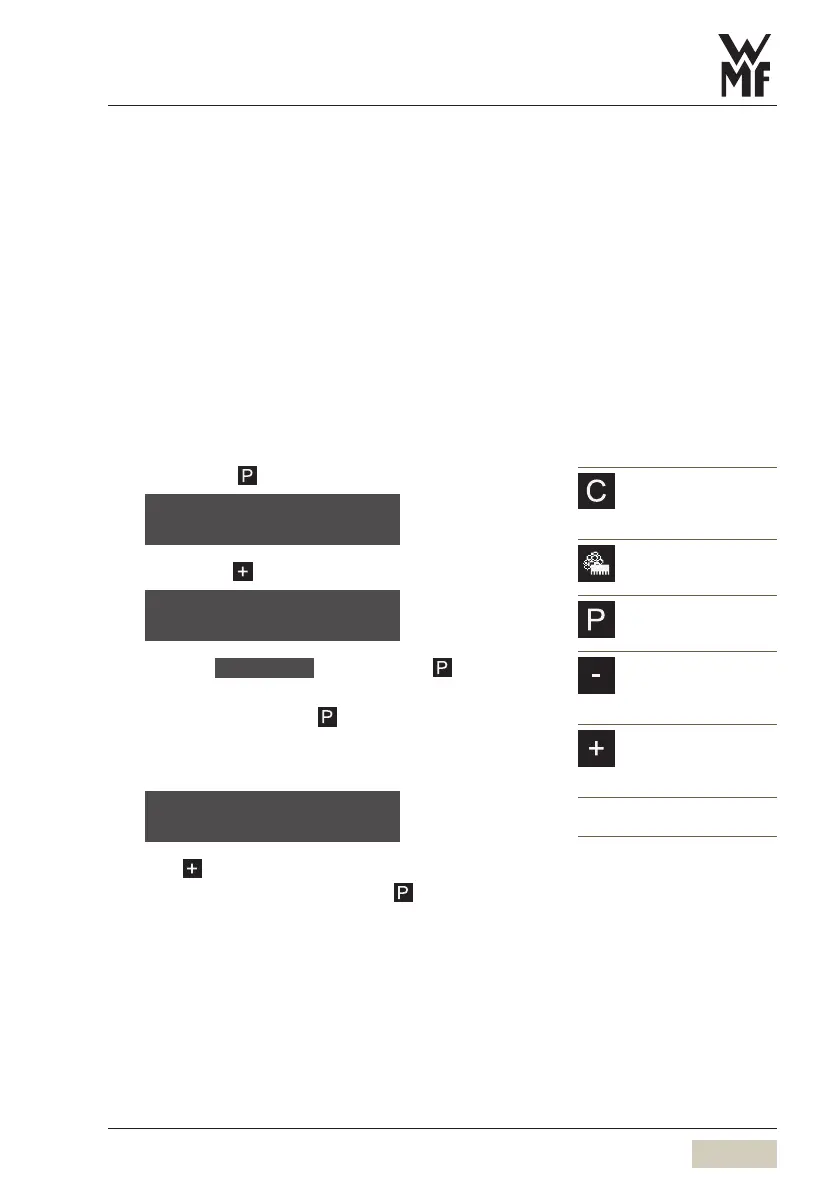
5.4.1 Access basic settings
Briefly touch
Browse with to
Select the basic settings program with
The first setting option appears automatically. Browse
to the others by touching
5.4.2 Language
Touch to set the desired language
Confirm the desired setting with
C pad
Cancel
Exit the program without
saving values
Care pad
Warm rinsing
Cleaning
P pad
Programs
Menu control
Minus pad
Coffee strength
Setting the values
Preselect cup volume
Plus pad
Coffee strength
Setting the values
Preselect cup volume
The new values are saved when you
exit the program.
select program
browse: -/+
basic settings
OK: P browse: -/+
language: english
OK: P change: -/+



 To Next Page