28
User Manual WMF950S
Operation | Switch on the coffee machine
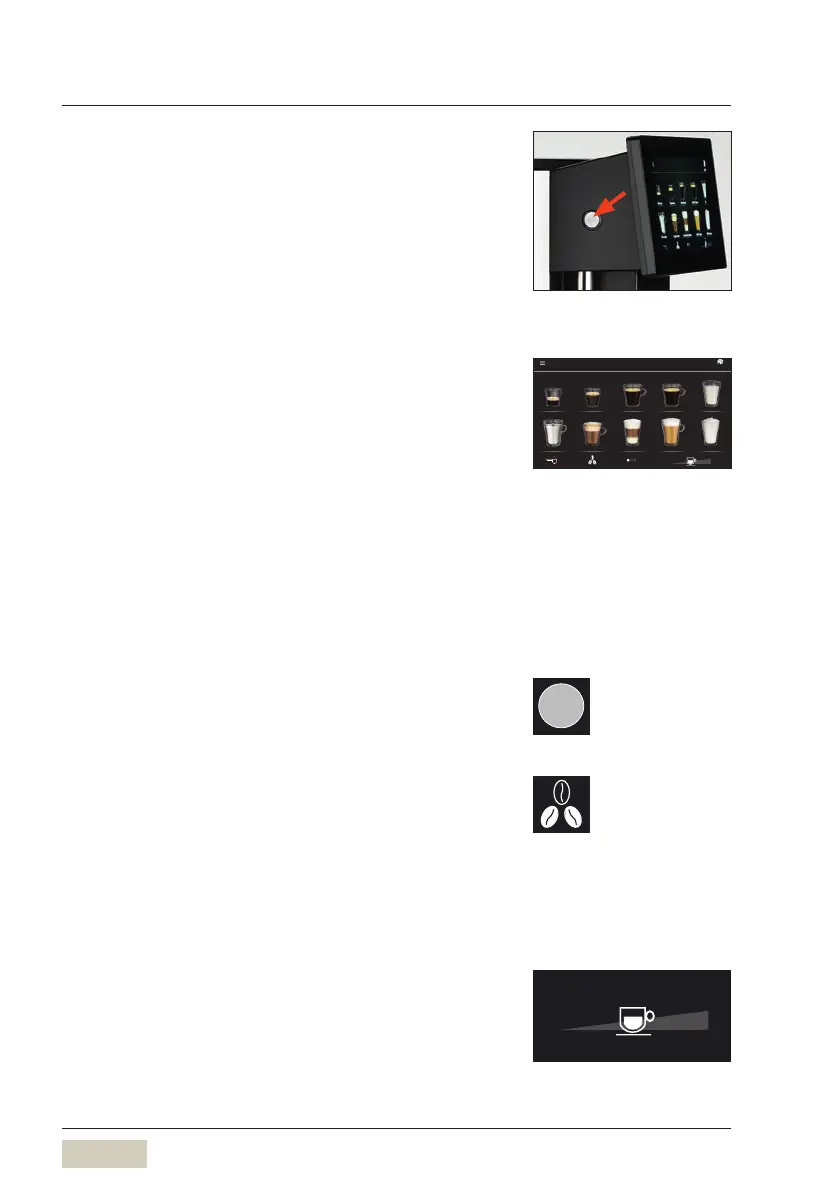
4.2 Switch on the coffee machine
The ON/OFF switch is located on the left side of the
operating panel.
✻ Press the ON/OFFswitch
Coffee machine switches on and heats up.
An automatic warm rinsing starts.
When the coffee machine is ready to dispense
beverages, the “Ready to operate” display appears.
4.3 Beverage dispensing
Touching the beverage buttons triggers dispensing of
the beverage selected.
• Lit up button = ready to dispense
• Unilluminated button/
red triangle in the
header bar
= not ready to dispense/
button disabled
✻ Place acup of the appropriate size beneath the
combi spout
✻ Touch the desired beverage button
Cancel beverage
✻ Touch “Cancel”
4.4 Selection pads (optional)
Optional buttons are available, such as the Barista pad
shown here. These selection buttons appear on the
display after the beverage has been selected.
4.5 Cup size adjustment
Free selection of the cup volume is optionally available.
ON/OFFswitch
Ristretto Espresso Americano Café Crème Hot Milk
Hot Water Cappuccino Latte Macchiato Milk coee Milk foam
950S
100 %
w Beveragee
page 44
Cancel
Example:
Barista pad
Activate and set up optional pads
w Function bar
page 40
100 %



 To Next Page