56
User Manual WMF950S
Other settings | Set grinding degree
6 Other settings
6.1 Set grinding degree
Pinching or crushing hazard/
risk of injury
• The coffee grinder contains moving parts that
can cause finger injury.
> Never reach into the grinders with coffee
machine running and product hoppers
removed.
Set the grinding degree to be finer
• The coffee grinder can become blocked if the
grinding degree is changed to amuch finer
level all at once.
> Adjust the grinding degree to afiner level by
only one full turn of the multitool.
> Then dispense one coffee beverage using the
finer grinding degree.
> Repeat these steps as often as needed to
achieve the desired grinding degree.
Set the grinding degree to be more coarse
The grinding degree can be set to acoarser level
all at once, if desired.
• When dispensing coffee, if the coffee flows very
slowly or not at all, please set the grinding degree
to coarse (4or5).
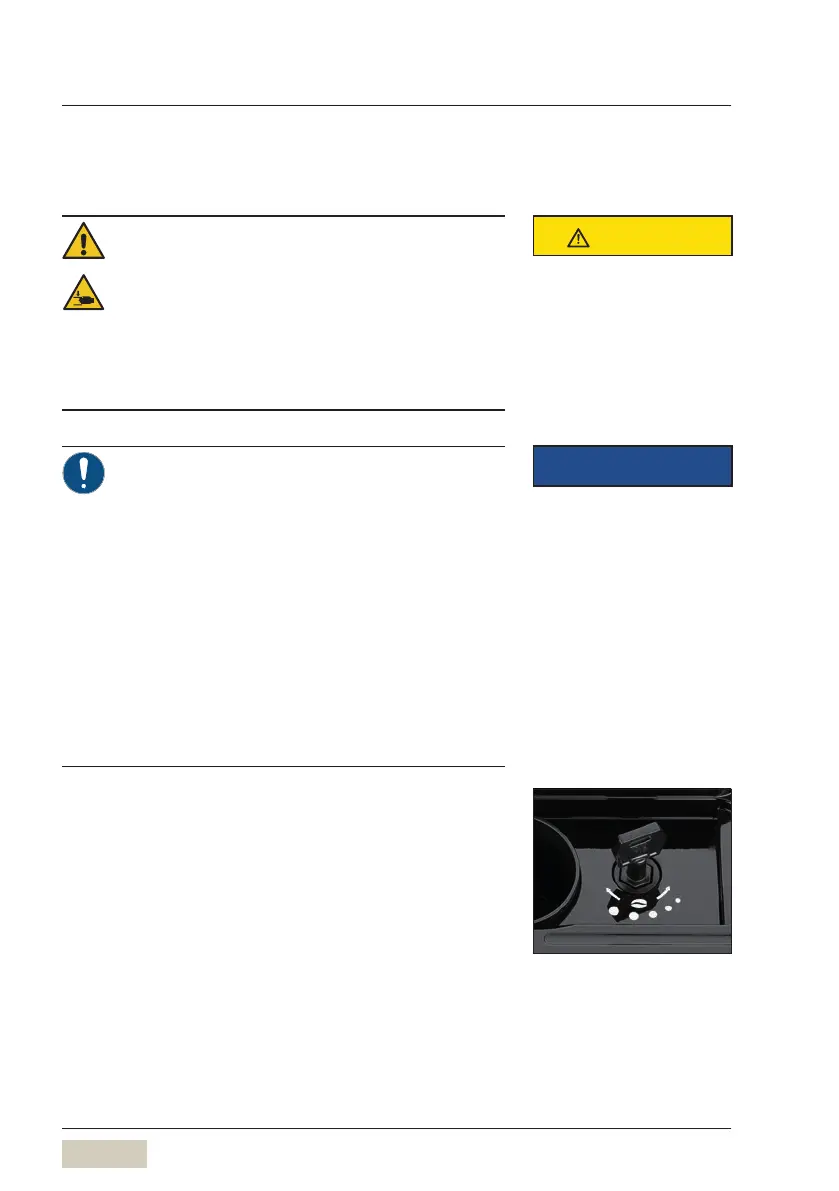
• The rotary selector on the top of the machine
adjusts the grinding degree. The grinding degree
setting range is from fine (1) to coarse (5).
Factory setting is 3.
• If your coffee beans are dark in colour, it is
recommended to use acoarse setting (4or5).
• Settings to the grinding degree will take effect only
after dispensing two cups of coffee.
CAUTION
Follow the Safety chapter
w starting on page 7
IMPORTANT
Follow the Warranty chapter
w starting on page 89
Set grinding degree



 To Next Page