66
User Manual WMF950S
Care | Manual cleaning
7.5 Manual cleaning
7.5.1 Clean the operating panel (CleanLock)
✻ Touch CleanLock
A 15-second countdown starts.
The touch display can now be cleaned.
The touch display is activated again 15seconds after
the last time it was touched.
Scalding hazard
• Be careful of hot surfaces near of the
operating panel.
• If abeverage is initiated accidentally, there is
ahazard of being injured.
> Always lock out the touch display with
“CleanLock” before cleaning.
• There is arisk of causing scratches or scoring.
> Clean the display with aclean, damp cloth.
Do not use any cleaners or implements.
> Use soft cloths for cleaning.
> We recommend adamp microfiber cloth.
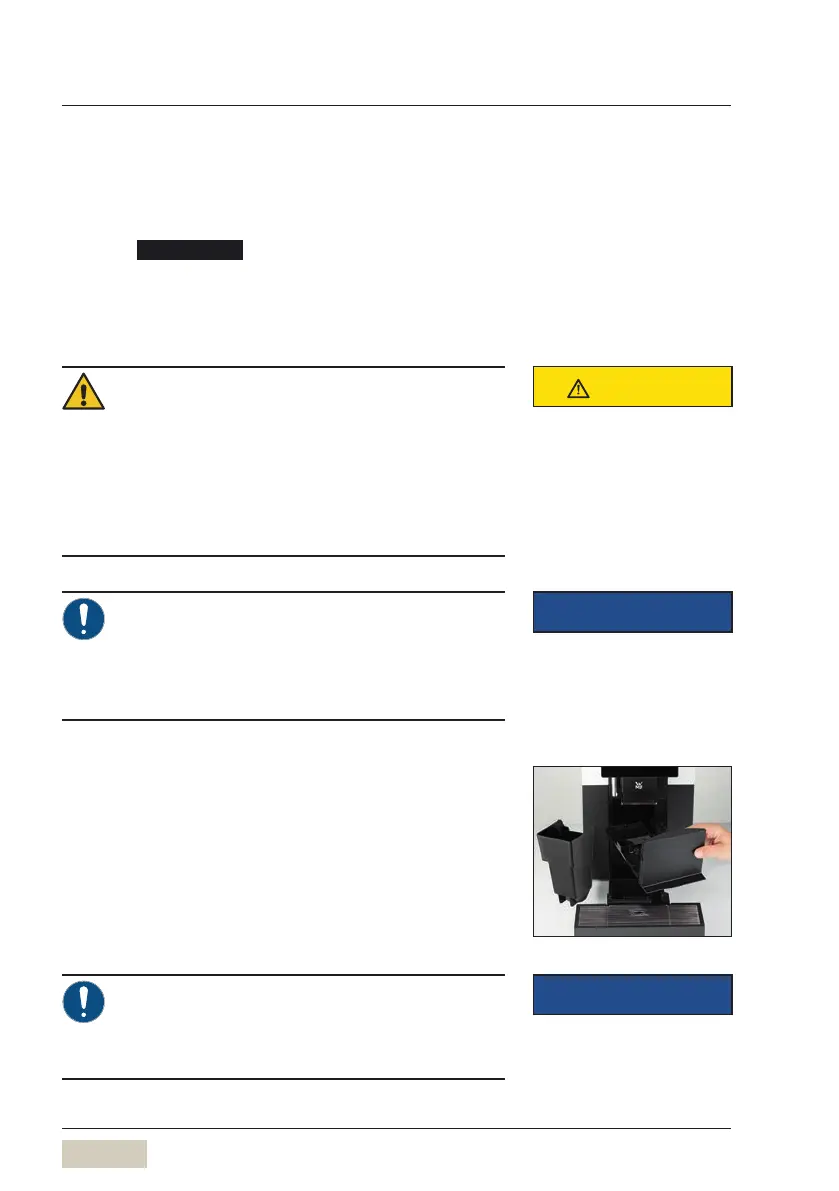
7.5.2 Clean the grounds container
(groundschute, optional)
✻ Remove the drip tray
✻ Remove grounds container
✻ Empty grounds container and rinse under running
drinking water
✻ Clean with aclean, damp cloth
✻ Dry the grounds container and replace it
> On coffee machines with grounds disposal
through the counter, the grounds chute must
be cleaned daily.
> Never use force. Danger of breakage.
Order numbers for the WMFcare
program
w Accessories and spare parts
page 93
CAUTION
Follow the Safety chapter
w starting on page 7
IMPORTANT
Follow the Warranty chapter
w starting on page 89
IMPORTANT
Follow the Warranty chapter
w starting on page 89



 To Next Page