43
User Manual WMF950S
Software | Care
CleanLock
✻ Touch CleanLock
A 15-second countdown starts.
The touch display can now be cleaned.
The touch display is activated again 15seconds after
the last time it was touched.
Descaling
The water hardness, flow rate, and whether awater
filter is used are the factors that determine the number
of litres remaining before descaling is required.
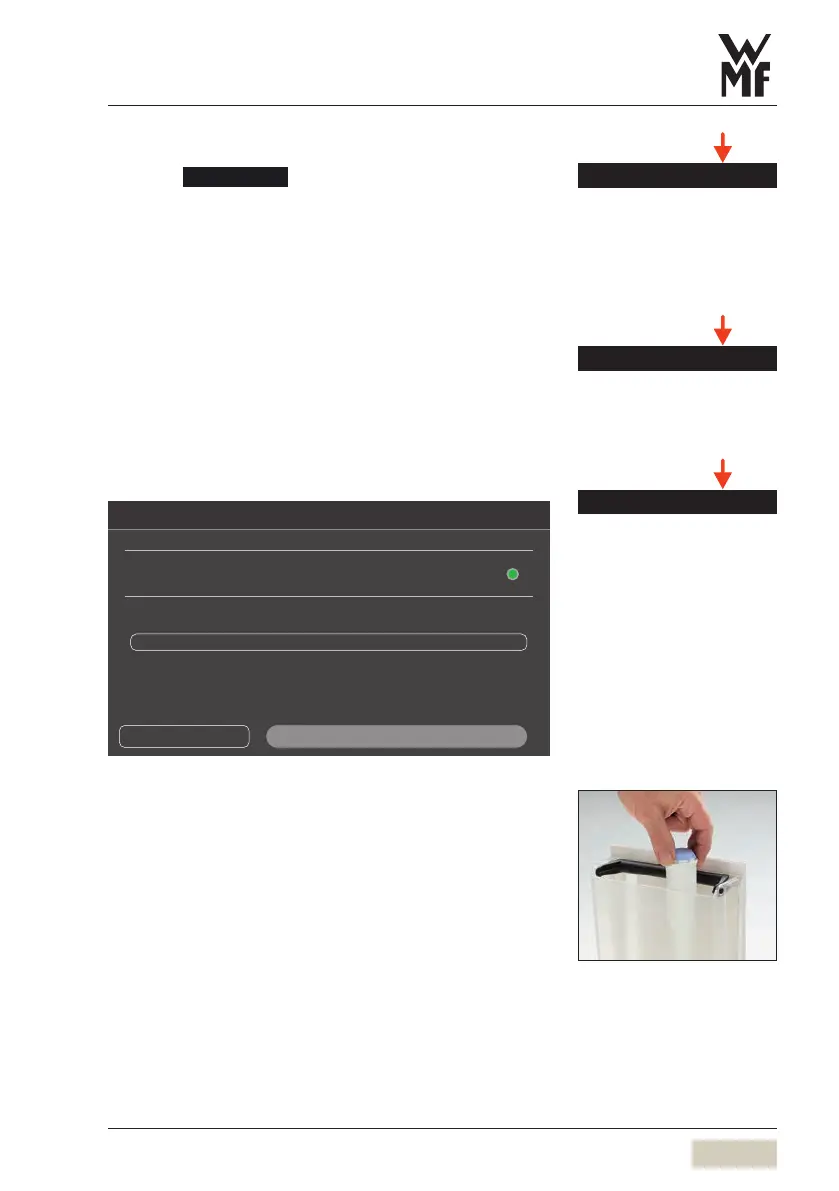
Insert/change water filter
Water lter settings
Please select whether a water lter is to be installed
Water lter inserted
Water lter settings
150 litres
Previous step
Next step
A water filter is necessary with awater hardness higher
than 5°dKH to prevent damage to the coffee machine.
The water filter must be changed regularly.
✻ Insert the water filter
✻ Confirm that the water filter has been installed
Another window opens.
✻ Set filter capacity
After filter change there is an automatic program
sequence to rinse and bleed the anti-scale filter and
water system. Hot water runs out of the hot water
spout during this process.
Without water filter
✻ Set water hardness
Clean the display with aclean, damp
cloth. Do not use any cleaners or
implements.
Clean the operating panel
w Care
page 66
Descaling
Descaling
w Care
starting on page 64
Insert/changewaterlter
DS_05_03_07
Follow the water filter instructions.
Displays lead step by step through
the program.
Follow the instructions.
Fitler capacity table
w Start-up program
page 26



 To Next Page