36
User Manual WMF950S
Operation | Constant water connection (optional)
For coffee machines with aconstant water
connection, we urgently recommend connecting
the water drain as well. Otherwise the drip tray
could overflow and cause damage to furniture,
for example.
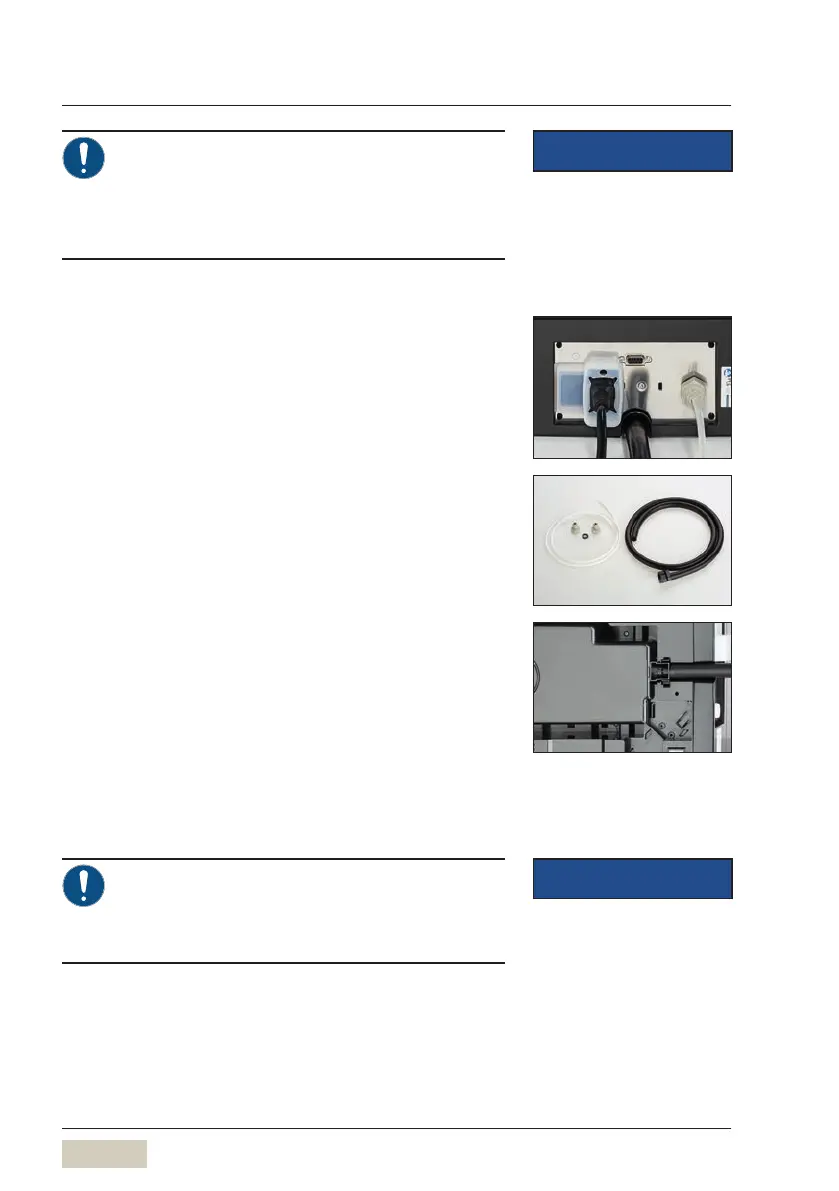
Installation
✻ Disconnect the power cord of the coffee machine
from power supply
✻ Use suitable connector for the machine and insert
asieve (observe size and thread)
✻ Connect the connection with the included sieve on
the constant water connection of the machine
✻ Connect the other connection to the on-site
constant water connection
✻ Use the supply hose and insert each end firmly into
each connection
✻ Remove the drip tray
✻ Put the machine to the side and insert the drain
hose with the adapter into the intake
✻ Replace the drip tray
✻ Connect the wastewater hose to the on site
wastewater line
✻ Open the on-site water supply
✻ Switch on the coffee machine
✻ Touch the “System” menu
✻ Activate the constant water supply
With the constant water connection, the water
tank may be removed only when the display
shows an appropriate message, or when the
coffee machine is switched off.
IMPORTANT
The conditions for use and
installation must be met.
w page 16
Constant water connection
w System
page 47
IMPORTANT
Constant water connection
retrofit kit
w Accessories and spare parts
page 93



 To Next Page