73
User Manual WMF950S
Care | Manual cleaning
Pinching or crushing hazard/
risk of injury
• The coffee machine contains moving parts
that can cause finger or hand injury.
> Always switch off the coffee machine and
unplug the mains plug before reaching into
the coffee grinder or the opening of the
brewing unit.
> Never clean the bean hopper in adishwasher.
> After along period in which the machine is
not used, please remove the bean hopper,
clean it, and dispense at least three beverages.
✻ Press the ON/OFFswitch briefly (approx. 1second)
Coffee machine switches off.
✻ Disconnect mains plug
✻ Remove the bean hopper lid
✻ Clean the underside of the bean hopper cover with
adamp cloth
✻ Thoroughly clean the locking mechanism area, using
the cleaning brushes from the accessories
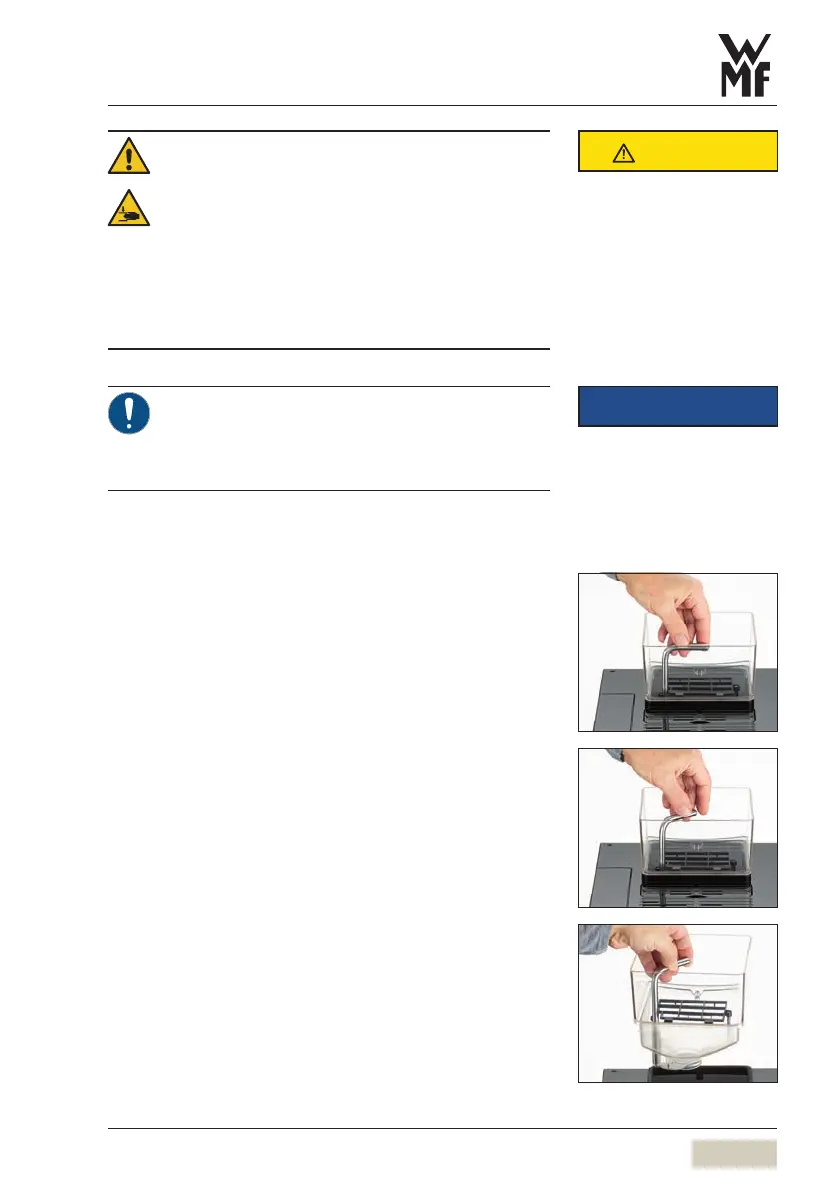
✻ Open the bean hopper toward the back by turning
the lever aquarter turn until it is completely
unlocked
✻ Empty bean hopper
✻ Clean the bean hopper with aclean, damp cloth
✻ Allow bean hopper to dry completely
✻ Fill the bean hopper
✻ Lock the bean hopper by turning the lever forward
by aquarter turn
✻ Place the bean hopper lid
CAUTION
IMPORTANT
Follow the Warranty chapter
w starting on page 89



 To Next Page