10 | SETTING UP YOUR SHARPENER
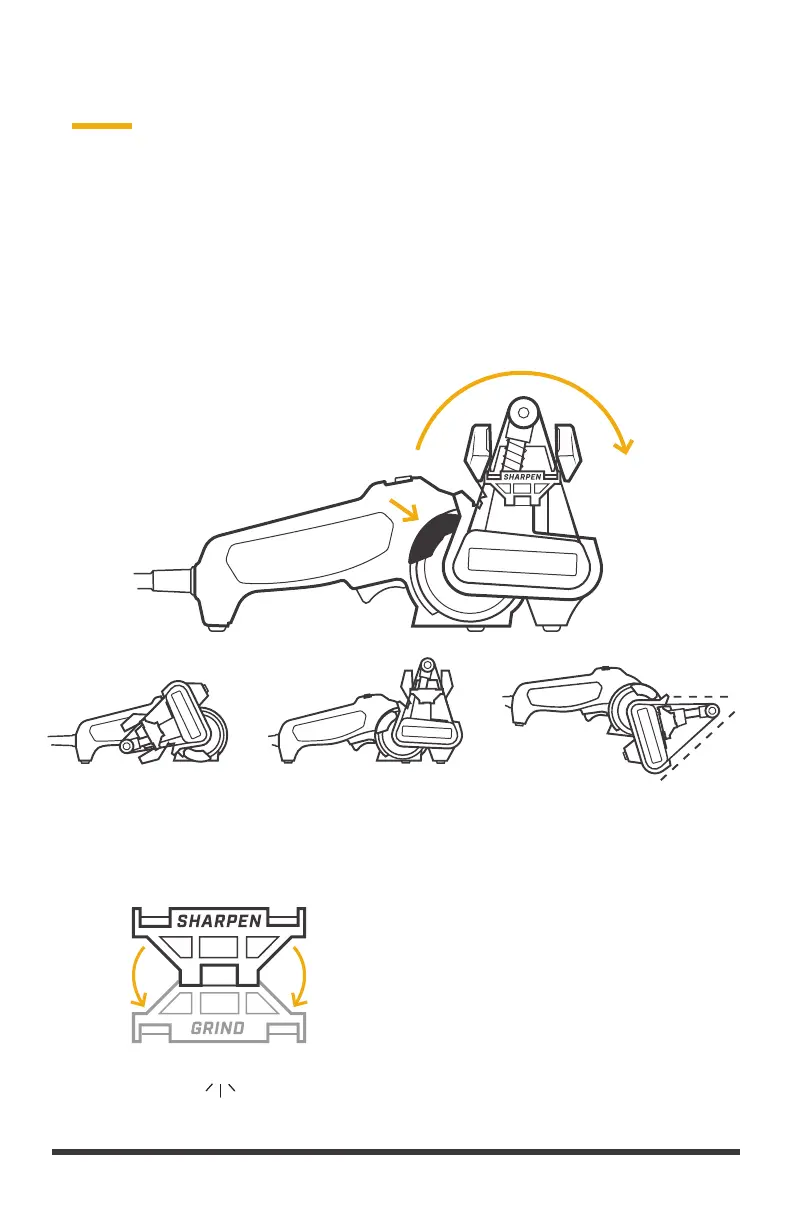
SHARPENPARKED* GRIND**
45°
1. SHARPENING CASSETTE
Squeeze and hold sharpening cassette rotation lever and rotate the cassette up,
clockwise (pressing inward to keep flush with the power base) to SHARPEN or
GRIND position.
*
• Do not power the sharpener while in
the parked position.
** For grinding applications, remove the
Angle Guide as illustrated in section 3 by
pulling straight up and off and flip Edge
Guide down.
SETTING UP YOUR SHARPENER


 To Next Page