HANGZHOU WORLDE DIGITAL PIANO CO.,LTD HANGZHOU WORLDE MUSIC ELECTRONIC CO., LTD
WEBSITE: WWW.WORLDE.COM.CN EMAIL:SALES@WORLDE.COM.CN TEL:86 571 88730848
- 17 -
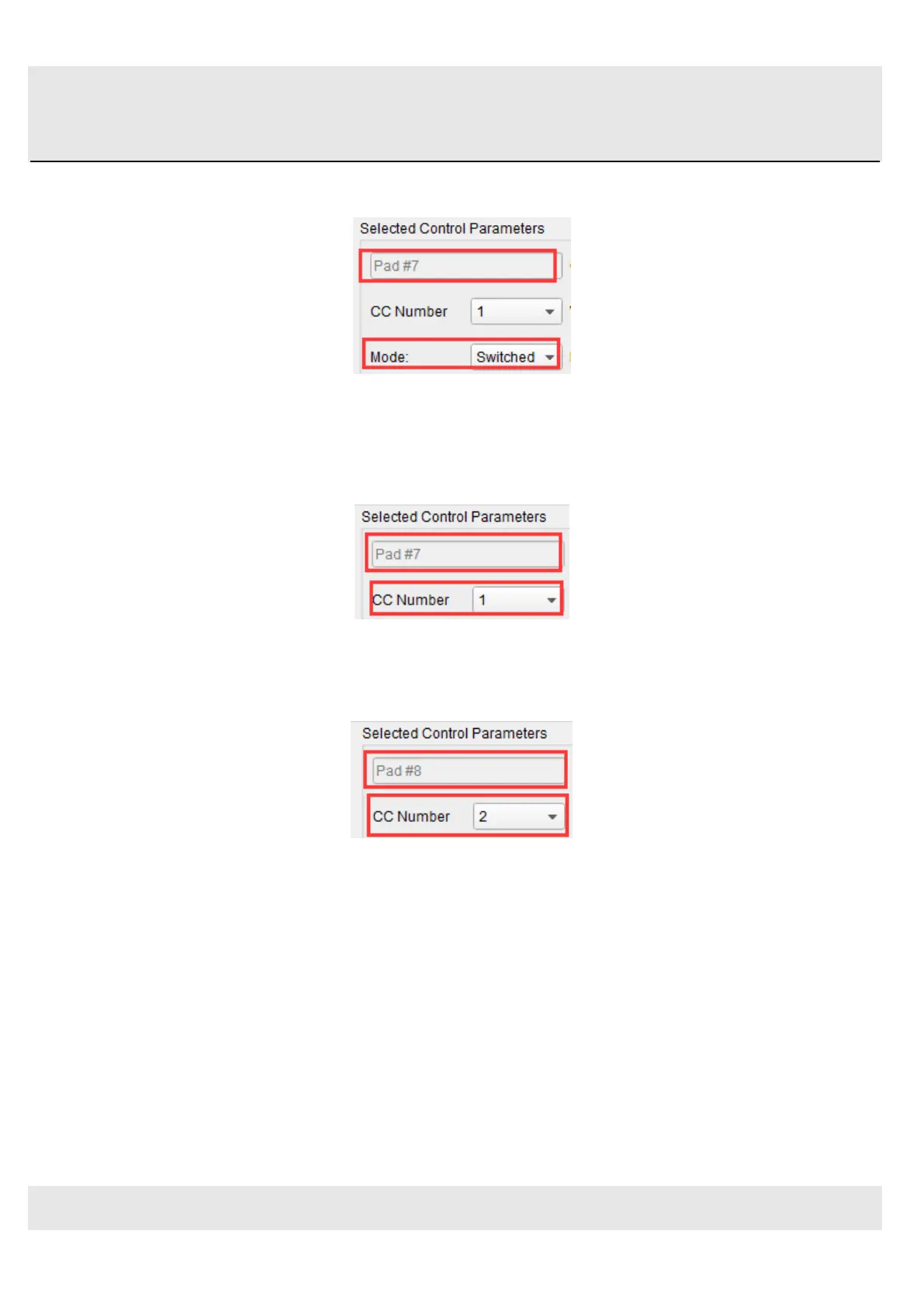
Let’s begin by selecting Pad 7 by clicking on its graphic in the MIDI Control Center or by tapping Pad 7 on the Orca PAD48.
Then click the Mode field to activate the pull-down menu:
5.1.2.2 Set the MMC Message number
Once the Mode has been set to MMC, the trick is to set both the LSB and MSB to the same number so the pad knows
which command to send. MMC Stop command needs the CC number set to 1, like so:
Next, select Pad 8 so we can set it to the MMC command for “Start”. This means the CC number must be set to 2:
Now you should have Pad 8 set to start your song and Pad 7 set to stop it. Of course you can assign those functions to any
pad you like, now that you know how to do it.
5.1.3 Assign a couple of Pads to MIDI notes
The natural thing to do when you’re starting a song is to lay down the kick and snare tracks. The Orca PAD48 pads can be
assigned to any MIDI note number that you like, so for this example we’ll set Pads 1 and 2 to trigger the General MIDI note
numbers for the Bass drum and Snare drum (MIDI note numbers 36 and 38, respectively).
By default the pads have their Mode set to MIDI note, so when you select each Pad we’ll get right down to selecting the



 To Next Page