Step 10
Insert the reference. Press 0A/100% key. This will be used for all
subsequent samples until changed.
Step 11
Insert sample and press
.
Repeat step 11 for all samples.
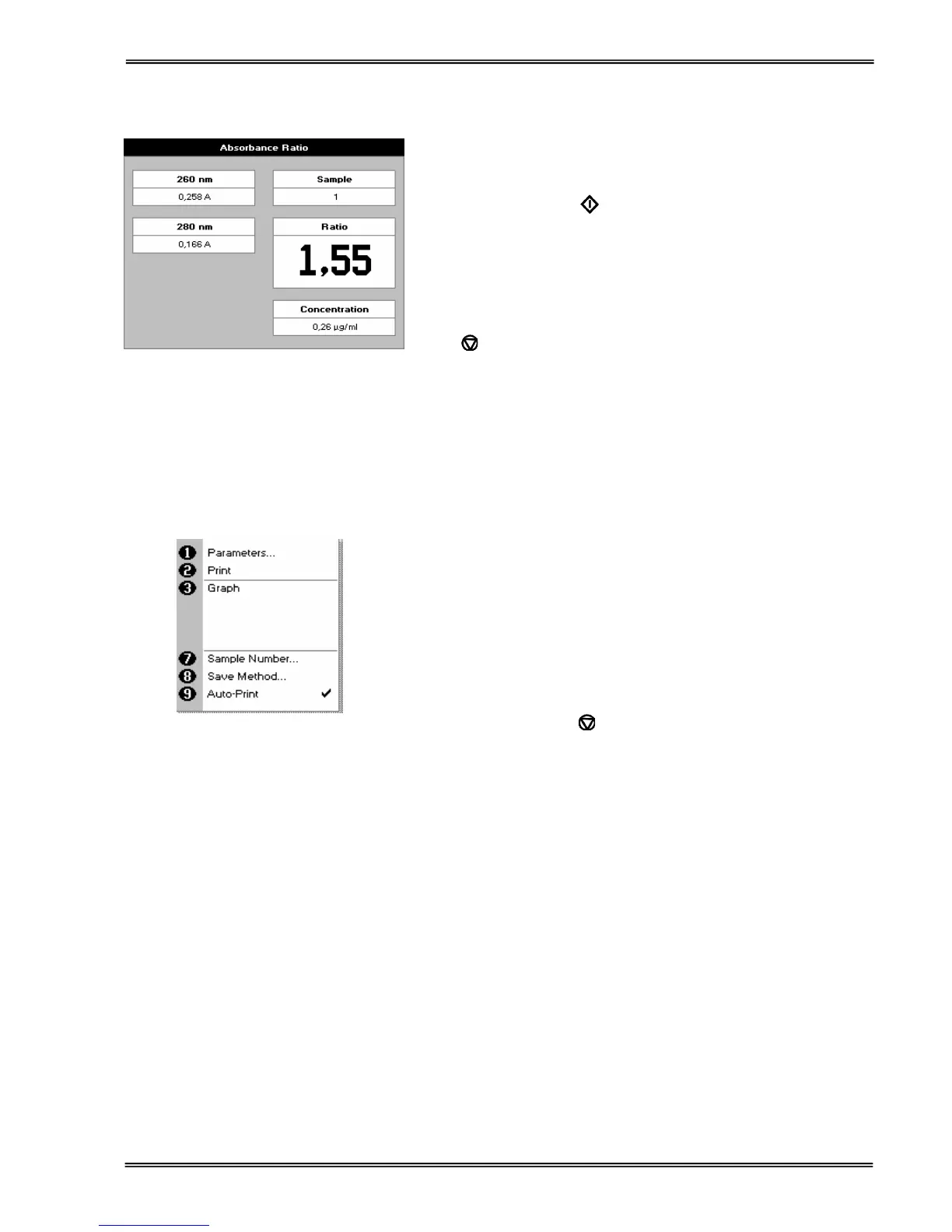
The absorbance at selected wavelengths is measured and the
ratio between wavelengths 1 and 2 is calculated (both corrected
by the background wavelength value if this was selected).
Press
to return to the Applications Folder.
Press ::; to display available Options which are described
below.
(select using key pad numbers)
1. Return to parameters screen (step 1 above).
2. Print result via selected method.
3. Toggle graph on/off. Graph shows a wavescan plot across
the selected wavelengths in place of the individual
wavelength.
7. Sample number – add a prefix to the sample number and
reset the incrementing number to the desired value.
8. Save method –
use the left and right arrows to select a folder
to store in (Favourites/Methods 1-9), press the down arrow
and enter name.
9. Auto-print – toggles auto-print on/off.
Exit options by pressing
, or wait.


 To Next Page
 Loading...