1. REMOVE THE POWER CABLE FROM THE
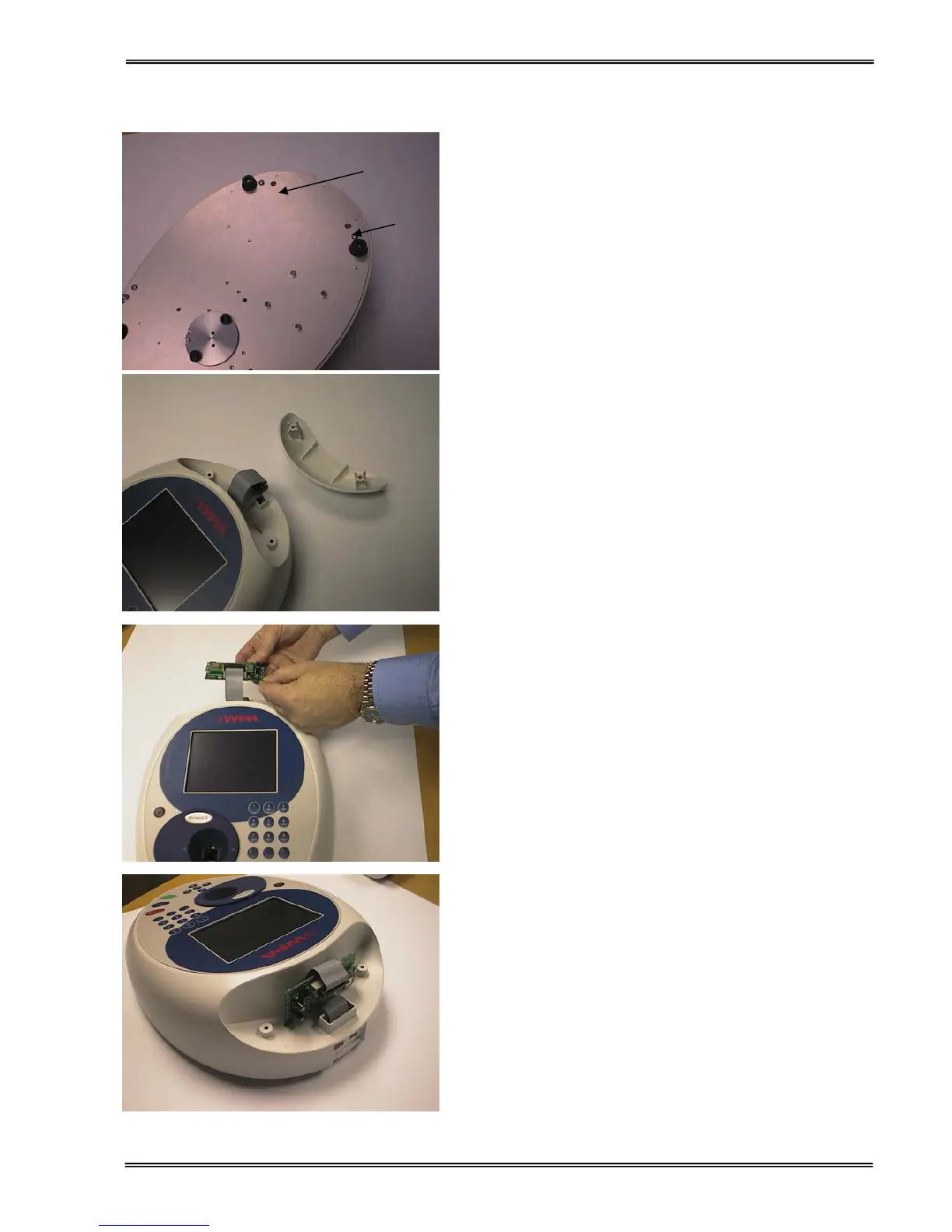
INSTRUMENT. Turn the instrument over and
remove the cap head screws from positions A
and B using the Allen key provided.
2. Turn the instrument back over and lift the
accessory cover vertically upwards to remove.
Remove the tie-wrap from the cable
3. Plug the accessory cable into the Bluetooth
module.
5. Note the slots in the base of the case. The two
lugs on the Bluetooth module plug into these


 To Next Page
 Loading...