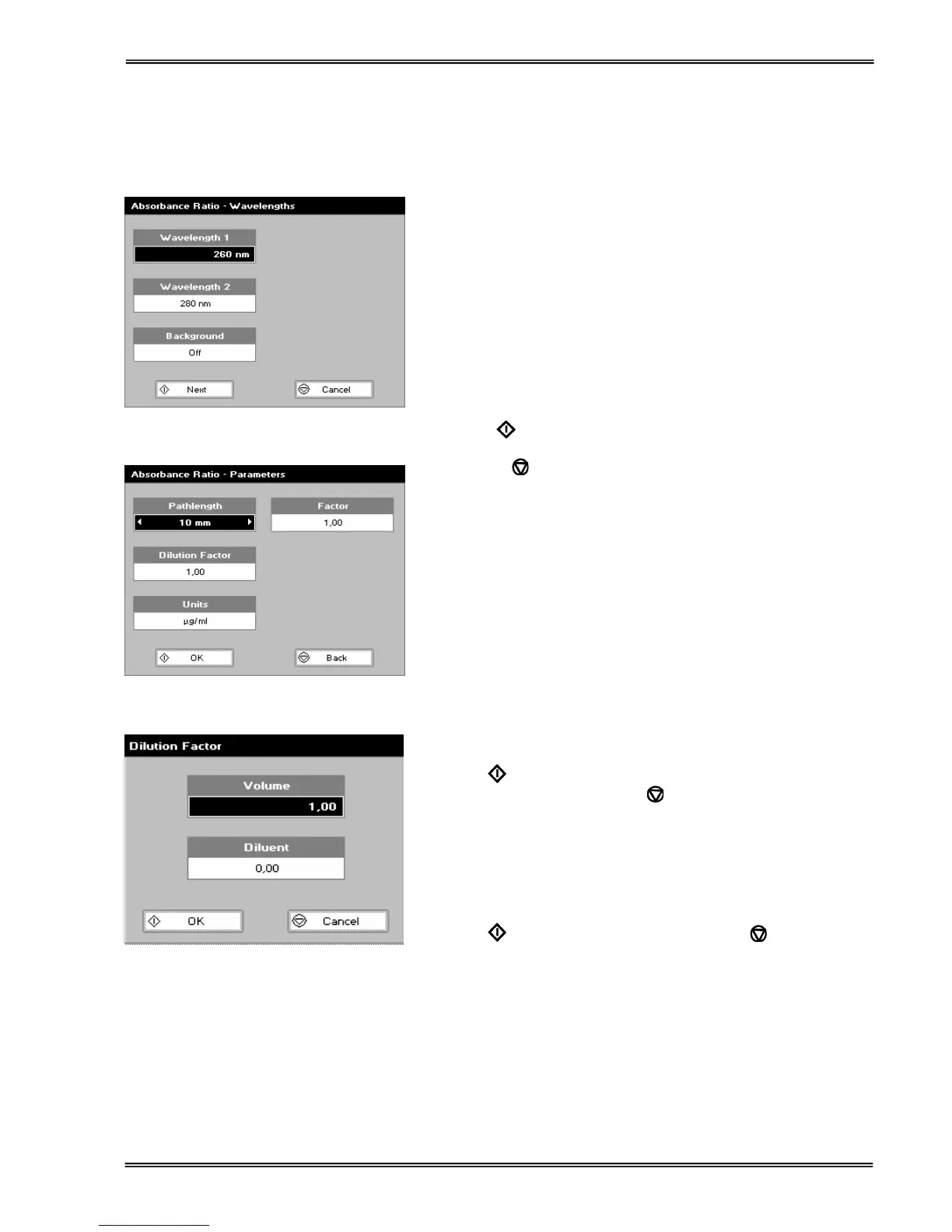
Enter the first wavelength by using the keypad numbers or the
left and right arrows.
Press the down arrow.
Step 2
Enter the second wavelength as above.
Press the down arrow.
Step 3
Select whether a background correction is applied to both
wavelengths 1 and 2 using the left and right arrows.
Step 4 (If background correction is On)
Enter the third wavelength, from which the background
correction will be obtained).
Step 5
Press Next
to enter the Parameters screen
OR
Press Cancel
to return to the Applications Folder.
Absorbance Ratio – Parameters Screen
Step 6
Select the pathlength (5 or 10 mm) using the left and right
arrows.
Press the down arrow.
Step 7 (Dilution Factor known)
Enter a dilution factor by using the keypad numbers within the
range 1.00 – 9999.
OR
Step 7 (Calculate Dilution Factor)
Press the options key: ::;.
Enter the volume of the sample (range 0.01 – 9999), using the
keypad numbers.
Press the down arrow.
Enter the volume of diluent (range 0.01-9999) by using the
keypad numbers.
Press OK
to calculate the dilution factor and return to the
Parameters screen (or press Back
to cancel selections).
Step 8
Select units of measurement, using left and right arrows. Options
are: µg/ml, ng/µl, µg/µl.
Press the down arrow.
Step 9
Enter the factor using the keypad numbers (Range 0.001 to
9999).
Press OK
to enter the results screen or Cancel to return to
the Applications Folder.


 To Next Page
 Loading...