(select using key pad numbers)
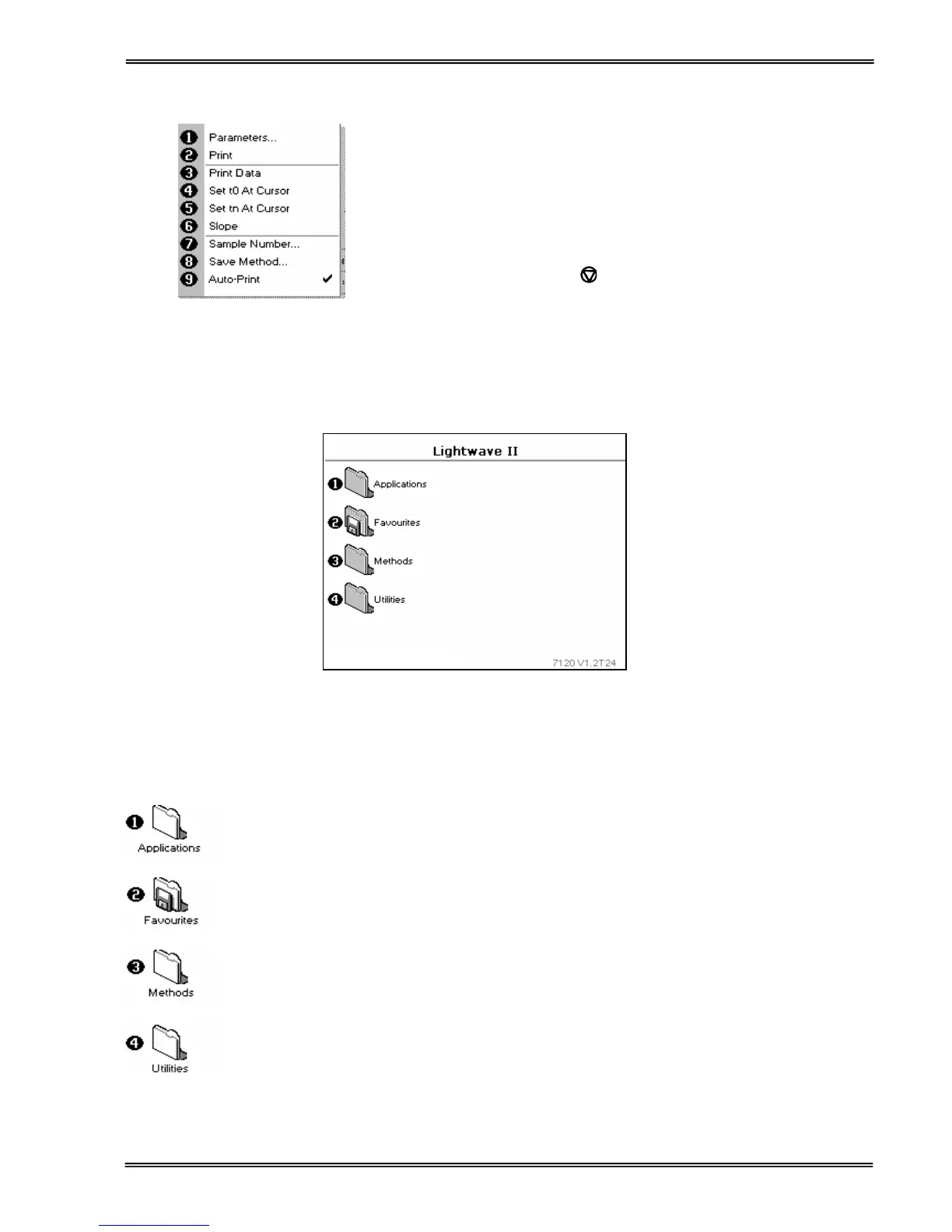
1. View parameters for the experiments.
2. Print the results.
3,4,5,6 Described in the application.
7. Define the sample number you wish to start from.
8. Save the parameters as a method to a defined folder
name with a defined method name.
9. Toggle auto-print on/off. Default is off.
Exit options by pressing
, or wait.
Experienced operators can use the numeric keys as a shortcut to
the option required without needing to enter the Options menu.
Software style
The user interface is built around having folders of files which are displayed on the home page when the instrument
is switched on. Different folders are numbered and opened by using the associated number key on the keypad.
1 Single wavelength, Concentration, Wavelength scan, Kinetics, Standard
Curve, Multiple wavelengths and Ratio
2 Saved User selected and configured methods
3 Sub folder selection for User selected and configured methods
4 Instrument set up (date, time, language, etc) and Games
Summary
Function Keypad number Description


 To Next Page
 Loading...