Version 2.3 Page 31
2: Su Doku
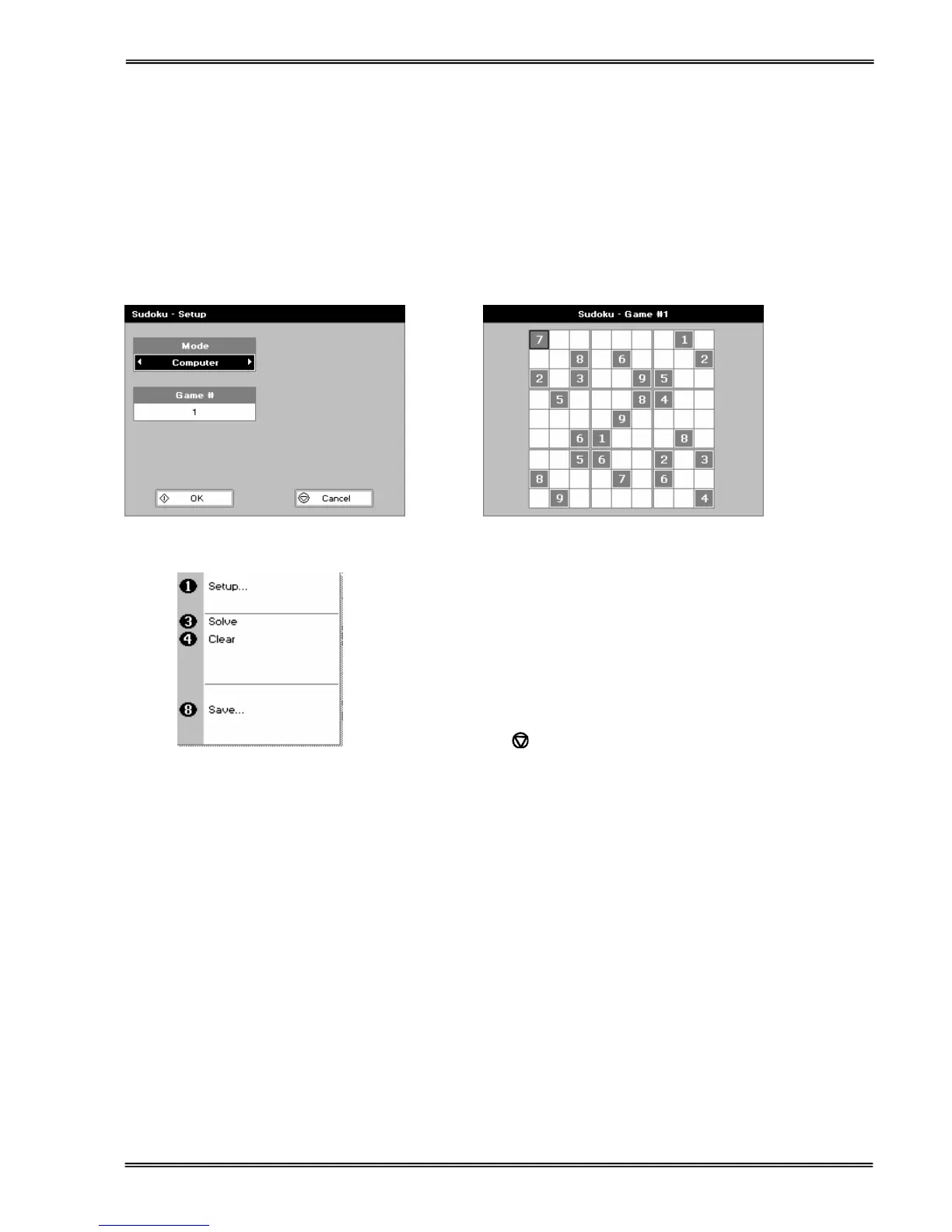
Can be set up as Computer mode (50 preset games) or User mode (enter your own pattern)
Use the cursors to select the square and the key pad to enter a number. Invalid numbers cannot be entered. Cells
can be locked (or unlocked) by using the decimal point. Unlocked cells can be cleared using the C key (see also
option key below)
The user mode starts with a blank grid.
Press ::; to display the options menu
1. Return to the set-up screen.
3. The instrument solves the game for you!
4. Clear all entries.
8. Save the game. Use the left and right arrows to select a
folder to store the game in (Favourites, Methods 1-9), press
the down arrow and enter name.
Press Cancel
to return to the Utilities folder.


 To Next Page
 Loading...