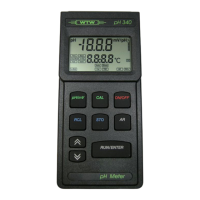
Operation pH 330i/340i
24
Three-point calibration
Note
You can prematurely terminate the three-point calibration by pressing
<M>. The values of the two-point calibration for slope and asymmetry
will then remain stored.
12 Press the <RUN/ENTER> key
to continue the three-point calibration.
Ct3 appears on the display.
13 Thoroughly rinse the electrode with distilled water.
14 If necessary, enter the temperature of the third buffer solution
with <▲> <▼>.
15 Immerse the pH electrode in the third buffer solution.
16 Press the <RUN/ENTER> key.
The AR display indicator flashes.
The electrode voltage (mV) or the buffer nominal value ap-
pears on the display.
When the measured value is stable, AR disappears.
The instrument displays the value of the slope (mV/pH) and the
evaluation of the calibration in calibration range II.
17 Press the <RUN/ENTER> key.
The instrument displays the value of the asymmetry in calibra-
tion range II. The three-point calibration is completed.
18 To return to the measuring mode: Press the <M> key.


 To Next Page