pH 330i/340i Operation
25
4.3.2 AutoCal DIN
For this procedure, use two or three different standard buffer solutions
according to DIN 19266 in ascending or descending order (type A, C,
D or F with pH values at 25 °C of: 1.679 / 4.006 / 6.865 / 9.180).
Note
The buffer solutions are automatically recognized by the measuring in-
strument. Depending on the instrument setting (see section
4.6 C
ONFIGURATION), the instrument displays the relevant buffer nomi-
nal value or the current electrode voltage in mV.
Note
Skip the steps 2, 7 and 14 if you use a temperature sensor.
1 Press the <CAL> key repeatedly until the display Cd1 and the
function display AutoCal DIN appear. The sensor symbol dis-
plays the evaluation of the last calibration (or no sensor symbol
in the delivery state or after the measurement parameter has
been reset).
2 If necessary, enter the temperature of the buffer solution with
<▲> <▼>.
3 Immerse the pH electrode in the first buffer solution.
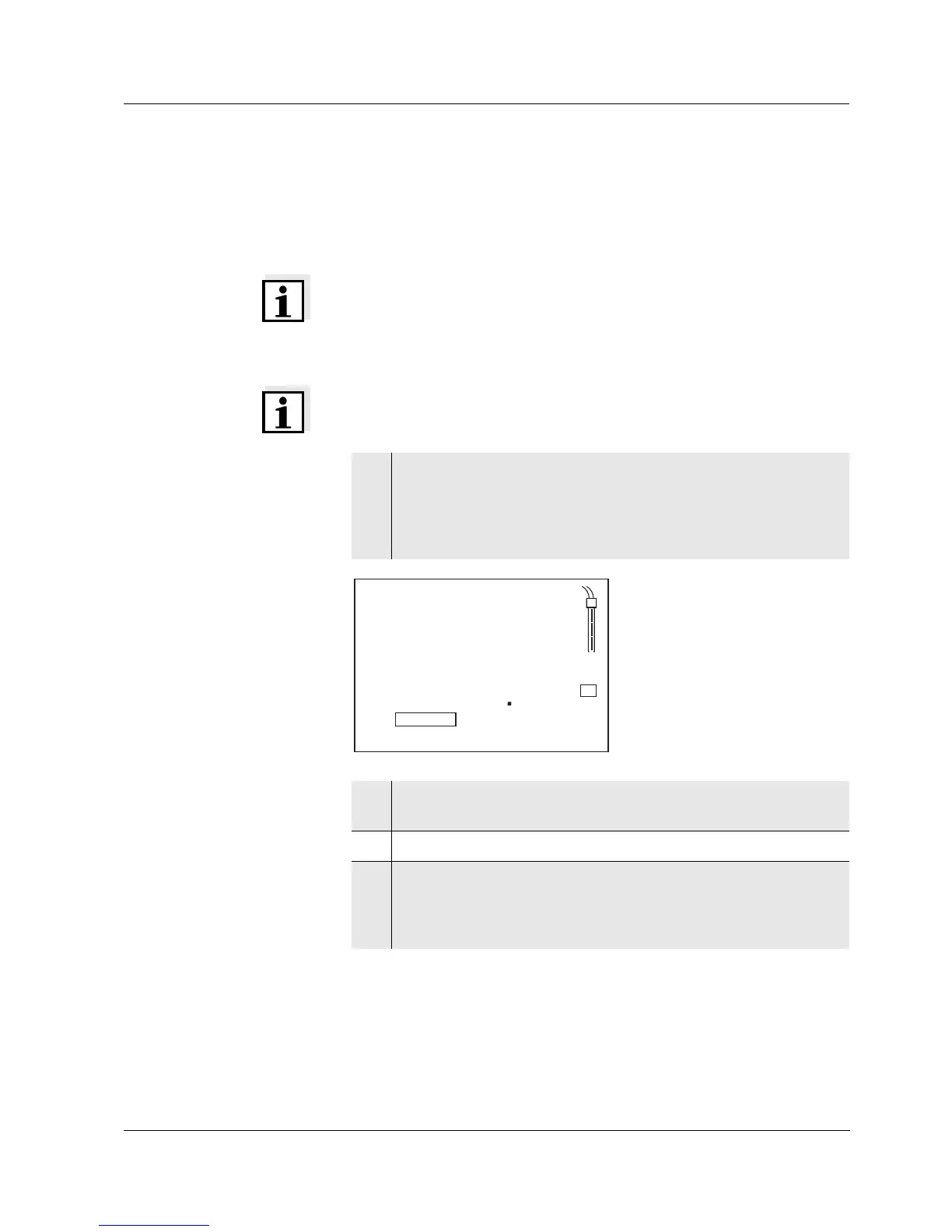
4 Press the <RUN/ENTER> key.
The AR display indicator flashes.
The electrode voltage (mV) or the buffer nominal value ap-
pears on the display. Example:
AutoCal TEC
6
mV/pH
mol/L
8
Auto
Store
RCL
LoBat
CalError
ARng
AR
ConCal
Time
Baud
Day.Month No.
Ident
Year
1
U
%
°F
S
TempError
mg/L
% ppm
ISE
8
4
2
1C
d
°C
TP
pH
AutoCal DIN


 To Next Page